
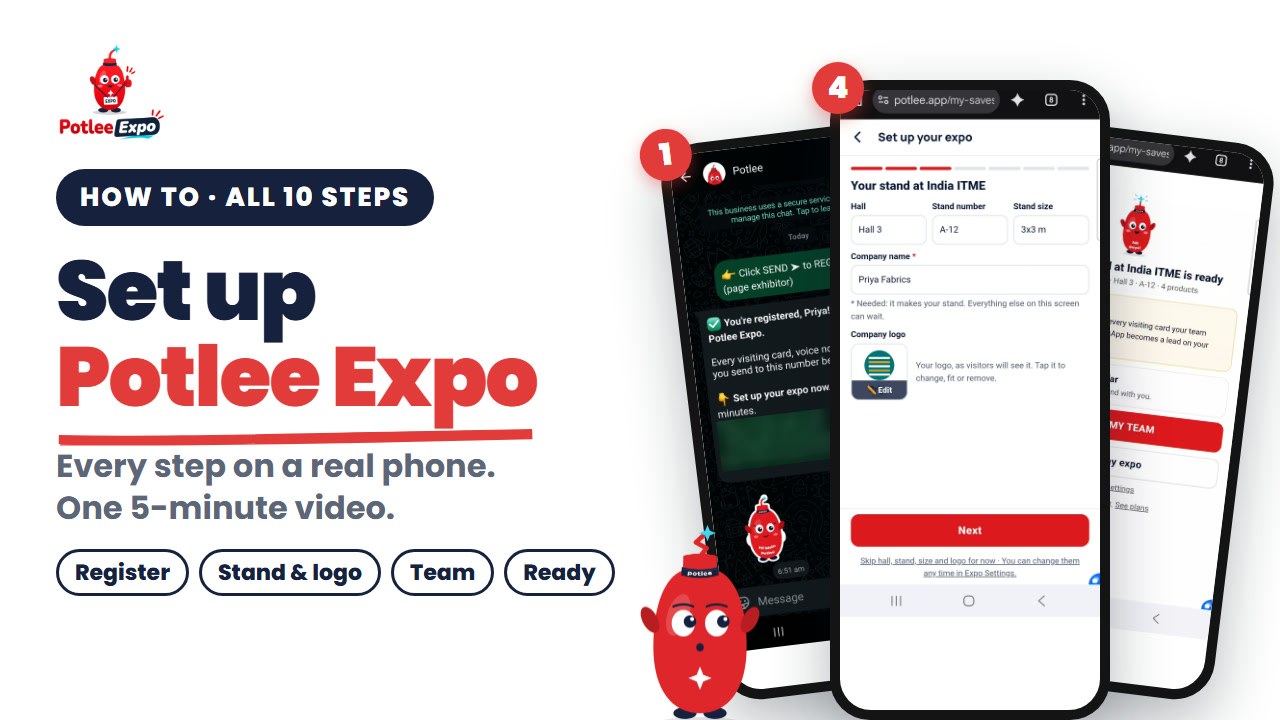
Your expo is coming up and your stand team will meet buyers all day. Potlee Expo gets every visitor's card, requirement and photos into one list, by company, while the buyer is still at your stand. Before that, it needs two minutes of setup. This page shows every step on a real phone, with the exact words you will see on screen.
Watch: How to set up Potlee Expo, all 10 steps on a real phone (5 min, English, a chapter per step).
What is Potlee Expo?
Definition: Potlee Expo is a WhatsApp lead capture service for exhibitors: the stand team sends each visitor's visiting card, voice note and photos to Potlee on WhatsApp, and every inquiry is filed by company as a lead on one dashboard.
Your team doesn't learn a new app at the stand. They send to one WhatsApp number, and Potlee Expo does the filing.
What you need before you start
- A phone with WhatsApp
- The name of your expo (or its website link)
- Your company name
- Optional: your hall and stand number, your logo, and the products you will show
The 10 steps at a glance
| Step | What you do | Where | Needed? |
|---|---|---|---|
| 1. Register | Get Potlee, press Send | potlee.app/expo, then WhatsApp | Yes |
| 2. Open your setup | Tap Set up my expo, pick Exhibitor | WhatsApp, then the setup page | Yes |
| 3. Pick your expo | Search, tap it, or add it from its link | Setup | Yes |
| 4. Stand and logo | Company name; hall, stand, size and logo | Setup | Company name only |
| 5. Products and next steps | Products, visitor types, next steps | Setup | Can wait |
| 6. Your team | Share the invite on WhatsApp | Setup, or My team | Can wait |
| 7. Stand ready | Open my expo | Done screen | Yes |
| 8. Change later | Press and hold your expo, Change setup | Home | When needed |
| 9. Visiting instead | Visitor, then What are you looking for? | Setup | Visitors only |
| 10. Log in with a code | Send code on WhatsApp, Log in | Login page | If a link expired |
Step 1: Register on WhatsApp (10 seconds)
- On your phone, open potlee.app/expo and tap Get Potlee.
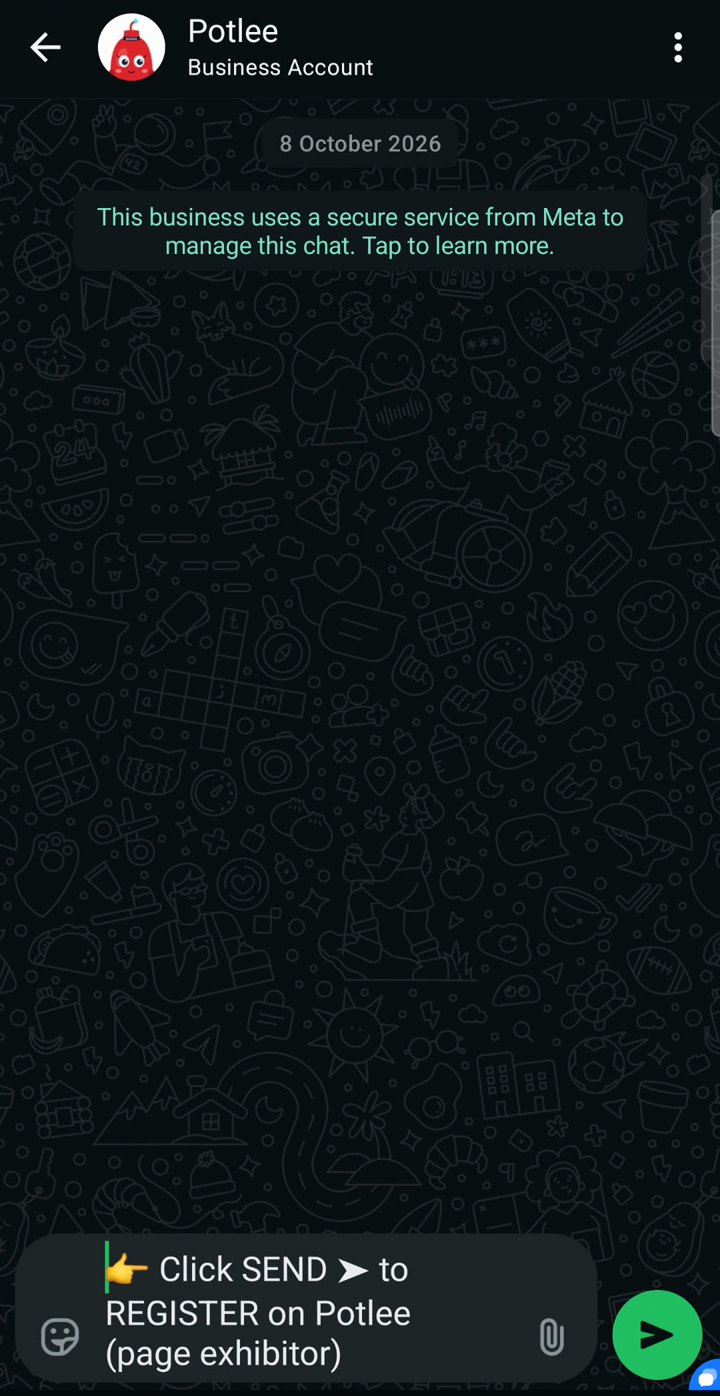
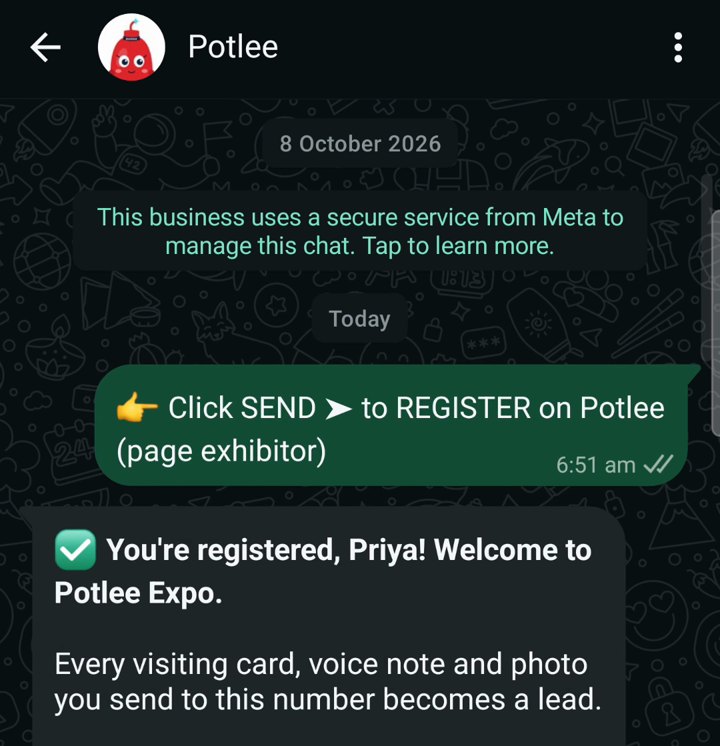
- WhatsApp opens with the message ready: "👉 Click SEND ➤ to REGISTER on Potlee". Just press Send.
- Potlee replies: "✅ You're registered! Welcome to Potlee Expo." and "Every visiting card, voice note and photo you send to this number becomes a lead."
No website handy? Send REGISTER EXPO to +91 91068 47981 on WhatsApp. It does the same.

▶ Watch Step 1 on YouTube (48 s)
Step 2: Open your setup
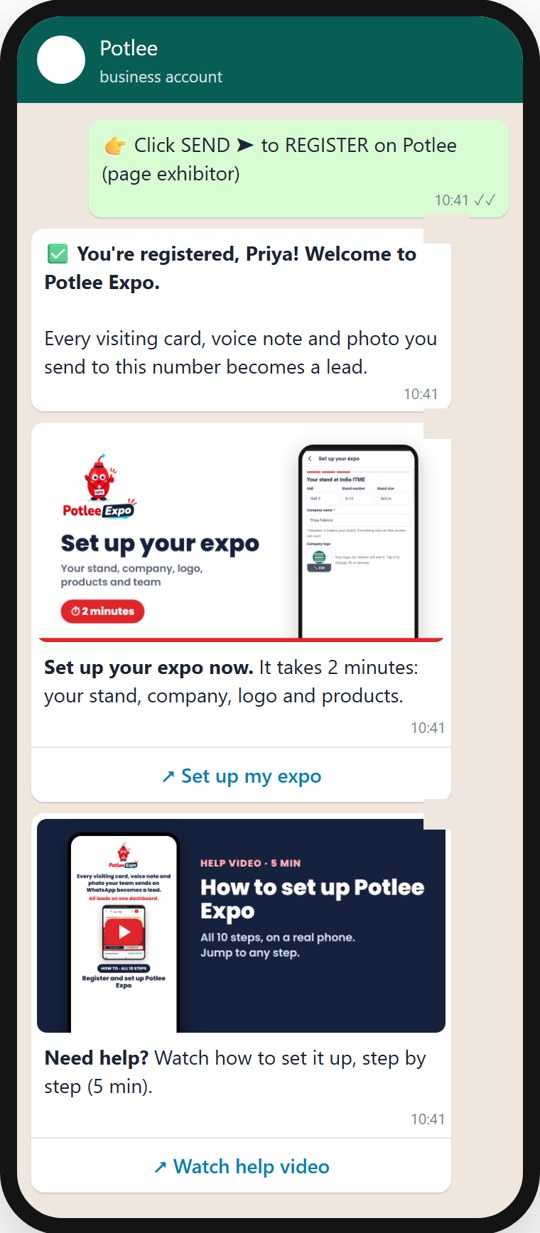
- Right after the welcome, Potlee sends a card: "Set up your expo now. It takes 2 minutes: your stand, company, logo and products." Tap Set up my expo.
- Setup opens in your phone's browser, already logged in. Nothing to type.
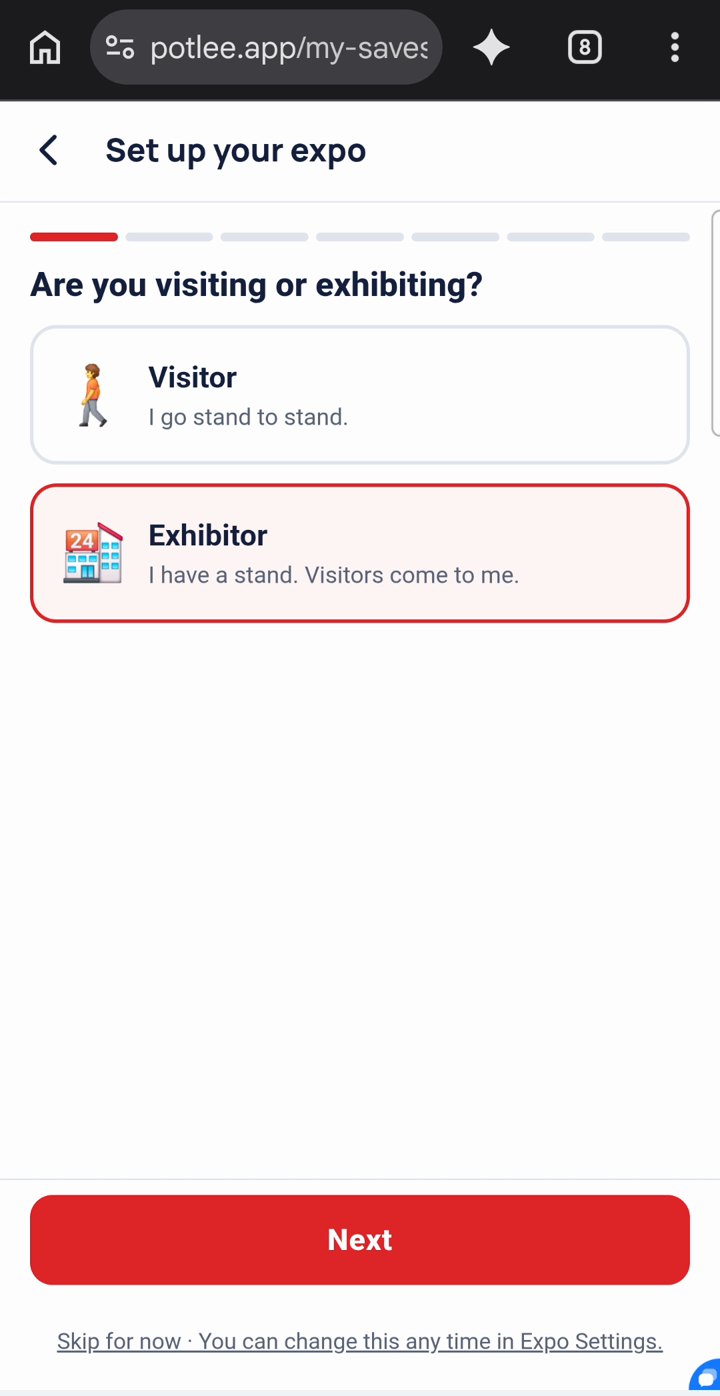
- The first question is "Are you visiting or exhibiting?" You have a stand, so keep Exhibitor ("I have a stand. Visitors come to me.") and tap Next.
The second card, Need help? with its Watch help video button, opens the video at the top of this page.
▶ Watch Step 2 on YouTube (35 s)
Step 3: Pick your expo, or add it
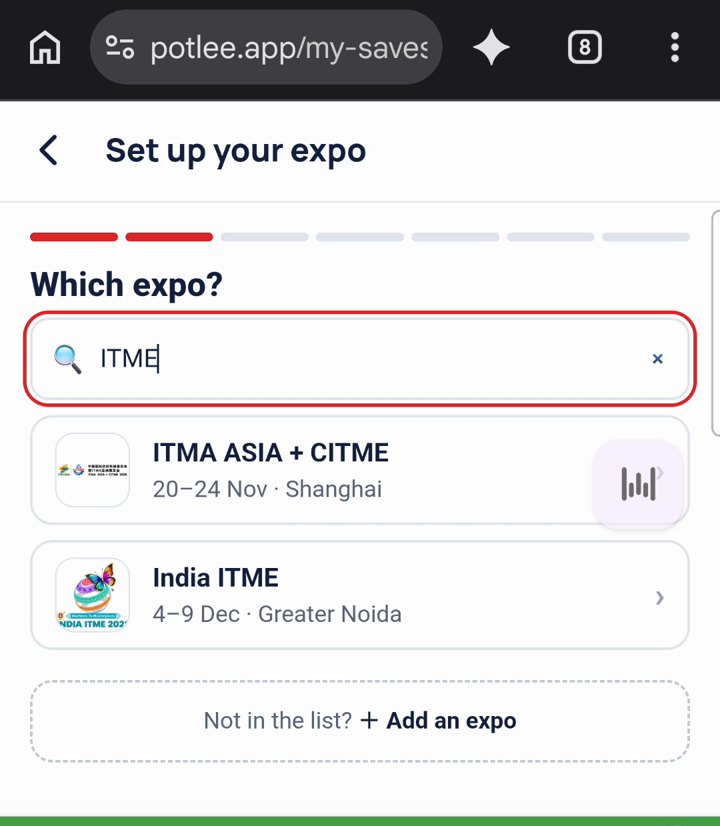
- "Which expo?" Tap Search any expo or city and type the expo's name or city.
- Tap your expo. That's it: it's saved.
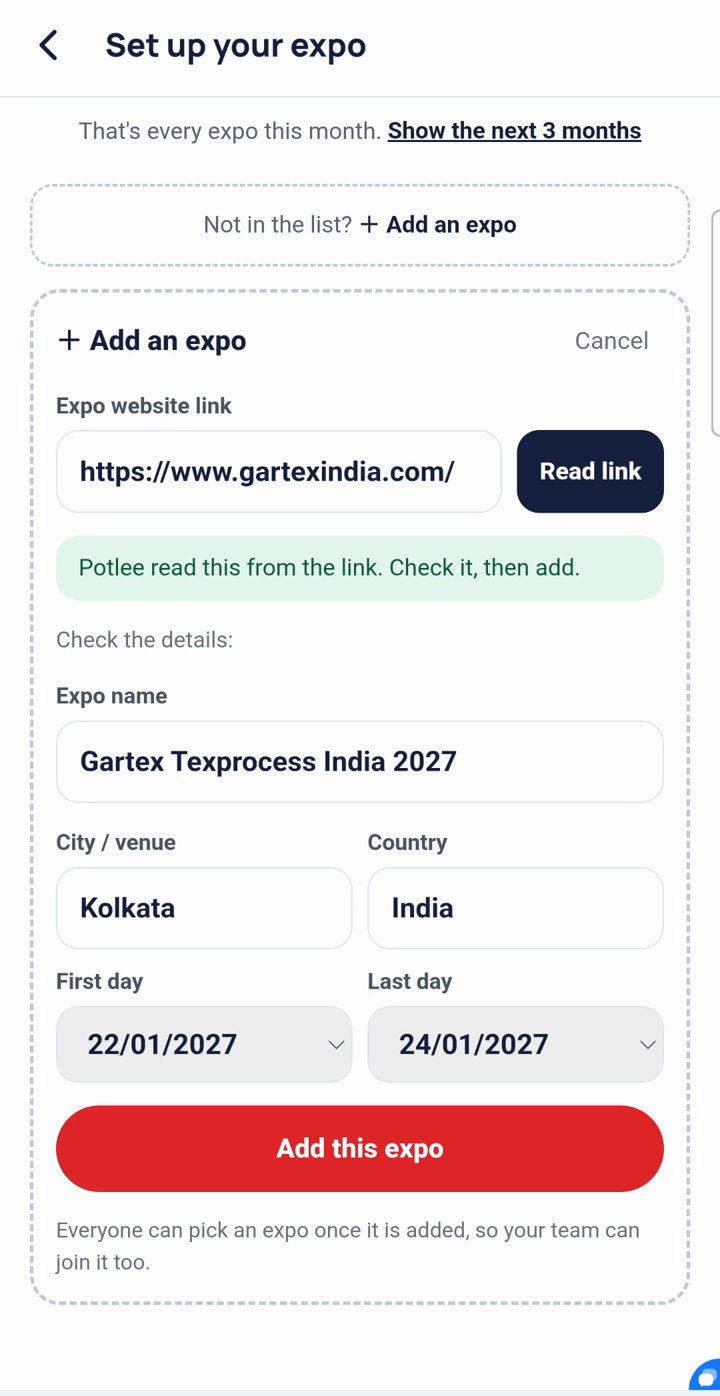
- Not in the list? Tap + Add an expo, paste the expo's website link and tap Read link.
- Potlee fills in the name, city, country and dates: "Potlee read this from the link. Check it, then add." Check them and tap Add this expo.
Everyone can pick an expo once it is added, so your team can join it too.
▶ Watch Step 3 on YouTube (44 s)
Step 4: Your stand, company name and logo
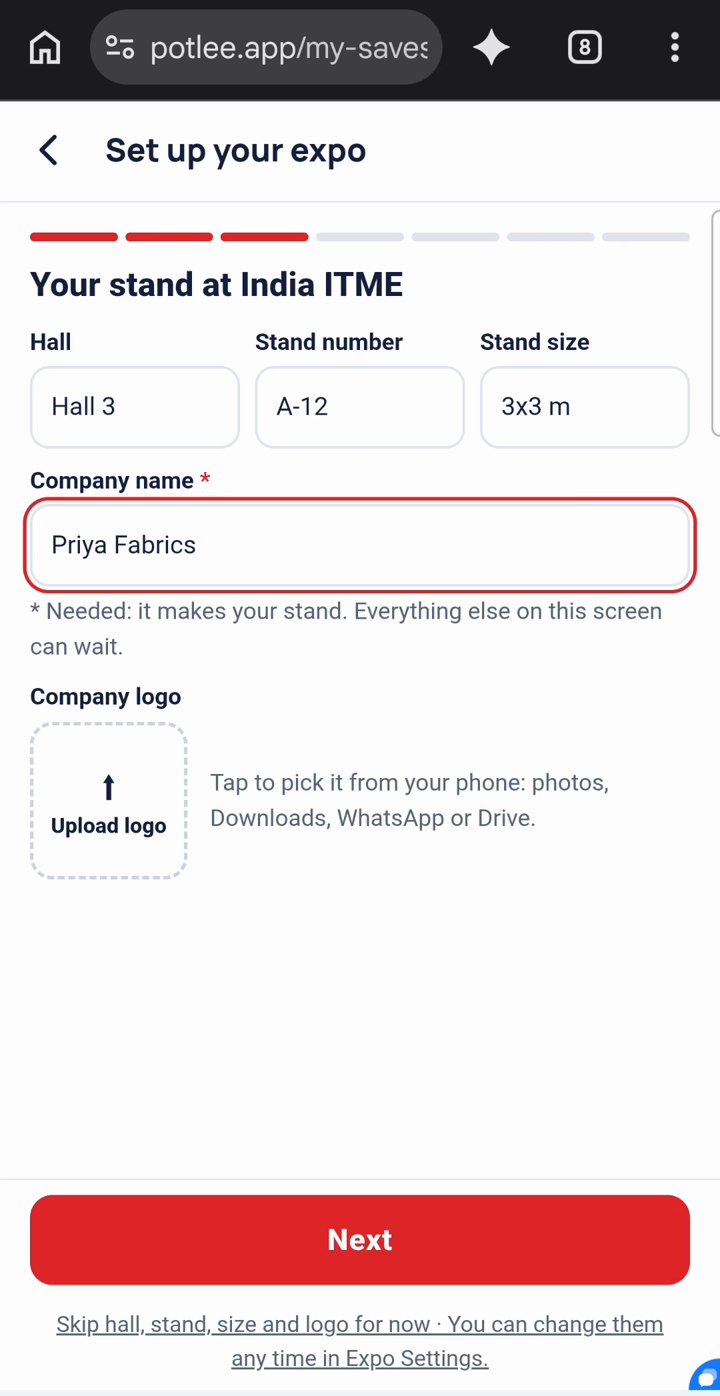
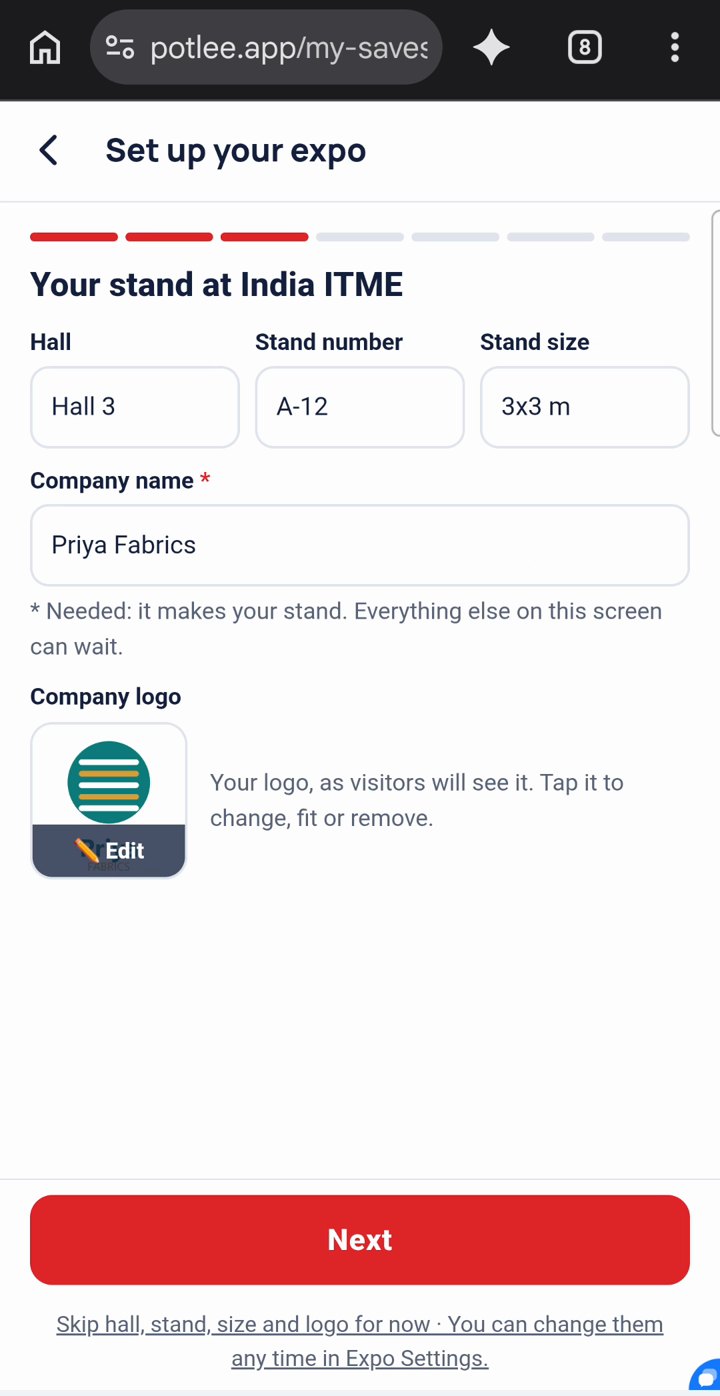
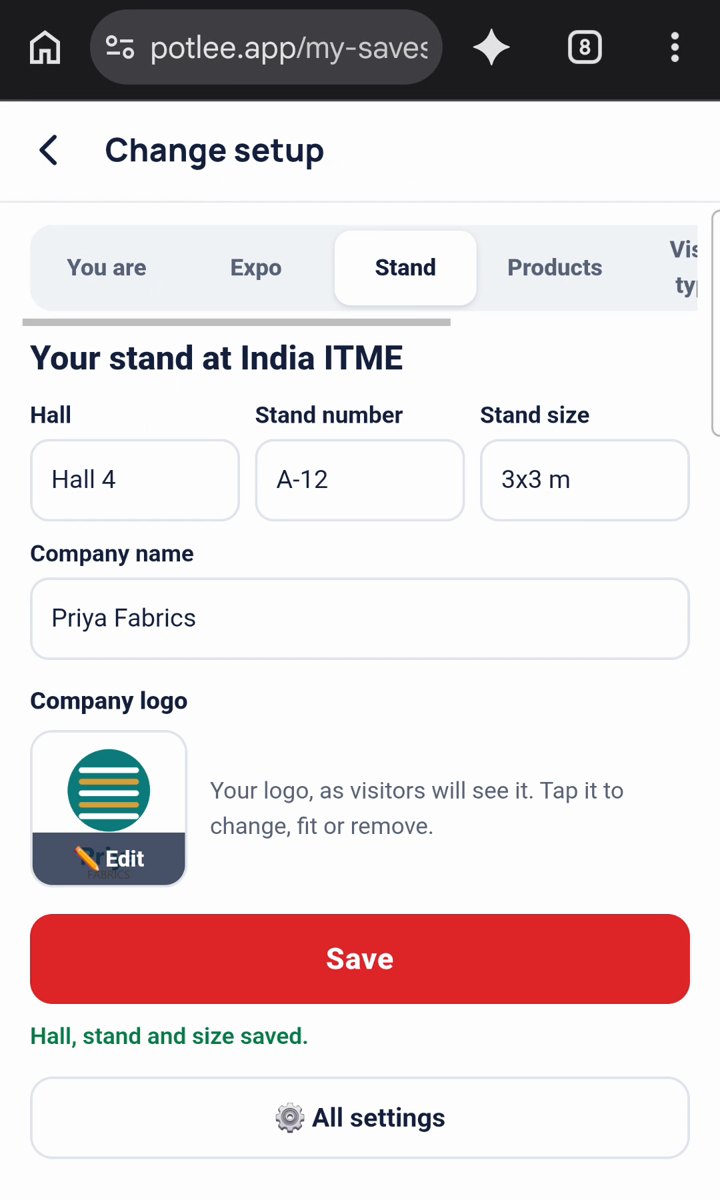
- "Your stand at India ITME" (your expo's name shows here): type the Hall, Stand number and Stand size.
- Type your Company name. It is the only thing needed: "* Needed: it makes your stand. Everything else on this screen can wait."
- Tap ⬆ Upload logo and pick it from your phone: photos, Downloads, WhatsApp or Drive.
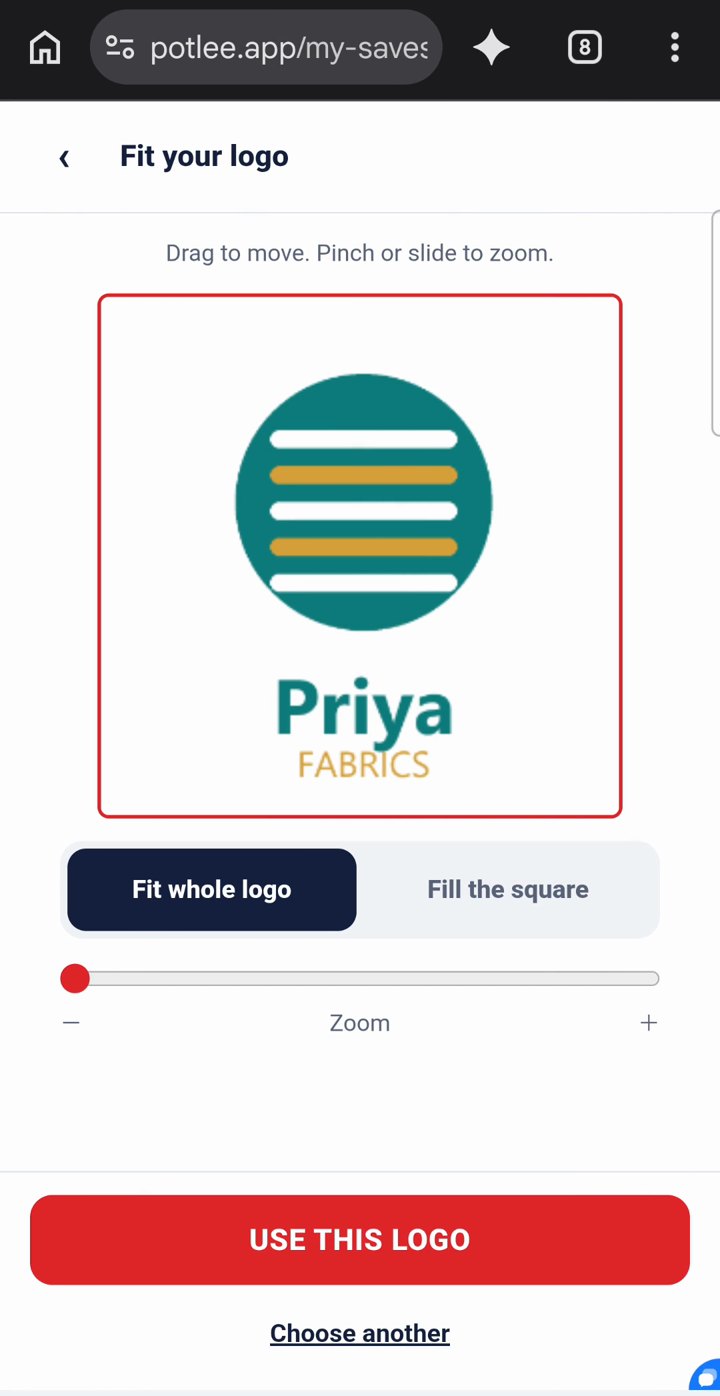
- "Fit your logo": drag to move, pinch or slide to zoom, choose Fit whole logo or Fill the square, then tap USE THIS LOGO.
- Tap Next. Your stand is made, and you lead its team.
In a hurry? Tap "Skip hall, stand, size and logo for now". You can change them any time in Expo Settings. If a colleague already made your company's stand for the same expo, Potlee shows who made it and offers Ask to join, so you don't end up with two stands.
▶ Watch Step 4 on YouTube (50 s)
Step 5: Products, visitor types and next steps
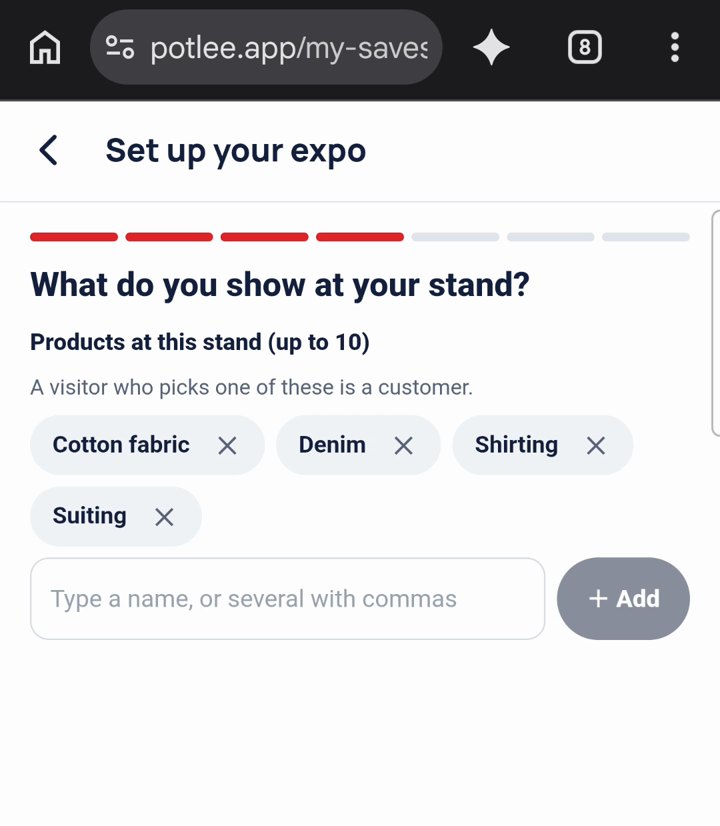
- "What do you show at your stand?" Under Products at this stand (up to 10), type your products, several at once with commas, and tap + Add. A visitor who picks one of these is a customer.
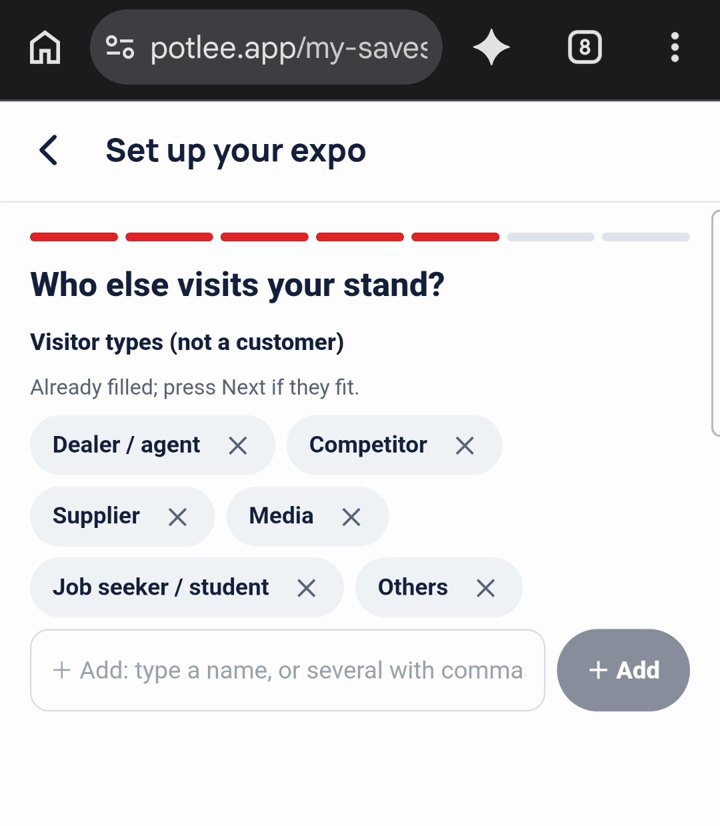
- "Who else visits your stand?" The visitor types (Dealer / agent, Competitor, Supplier, Media and more) are already filled. Press Next if they fit.
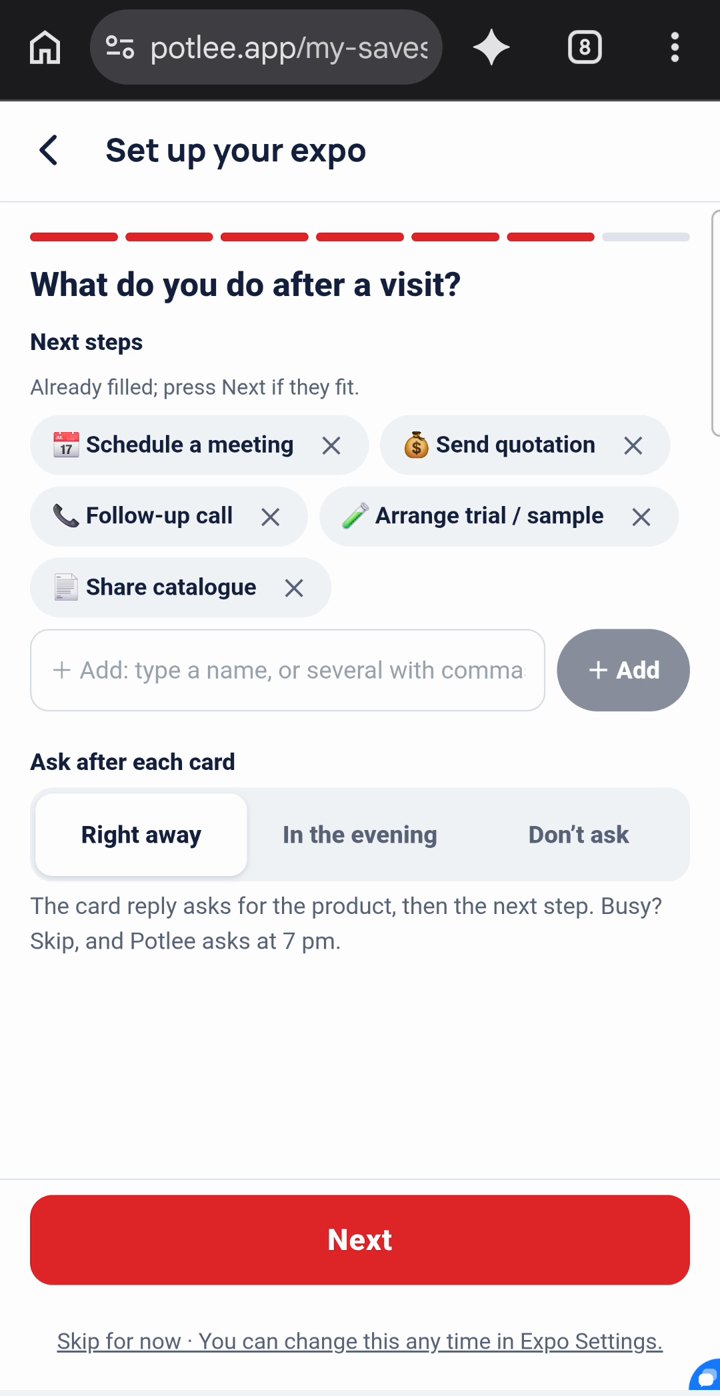
- "What do you do after a visit?" The next steps (Schedule a meeting, Send quotation, Follow-up call and more) are filled in too.
- Under Ask after each card, choose Right away, In the evening or Don't ask, and tap Next.
With Right away, each card reply asks for the product, then the next step. Busy? Skip, and Potlee asks at 7 pm.
▶ Watch Step 5 on YouTube (51 s)
Step 6: Bring your team
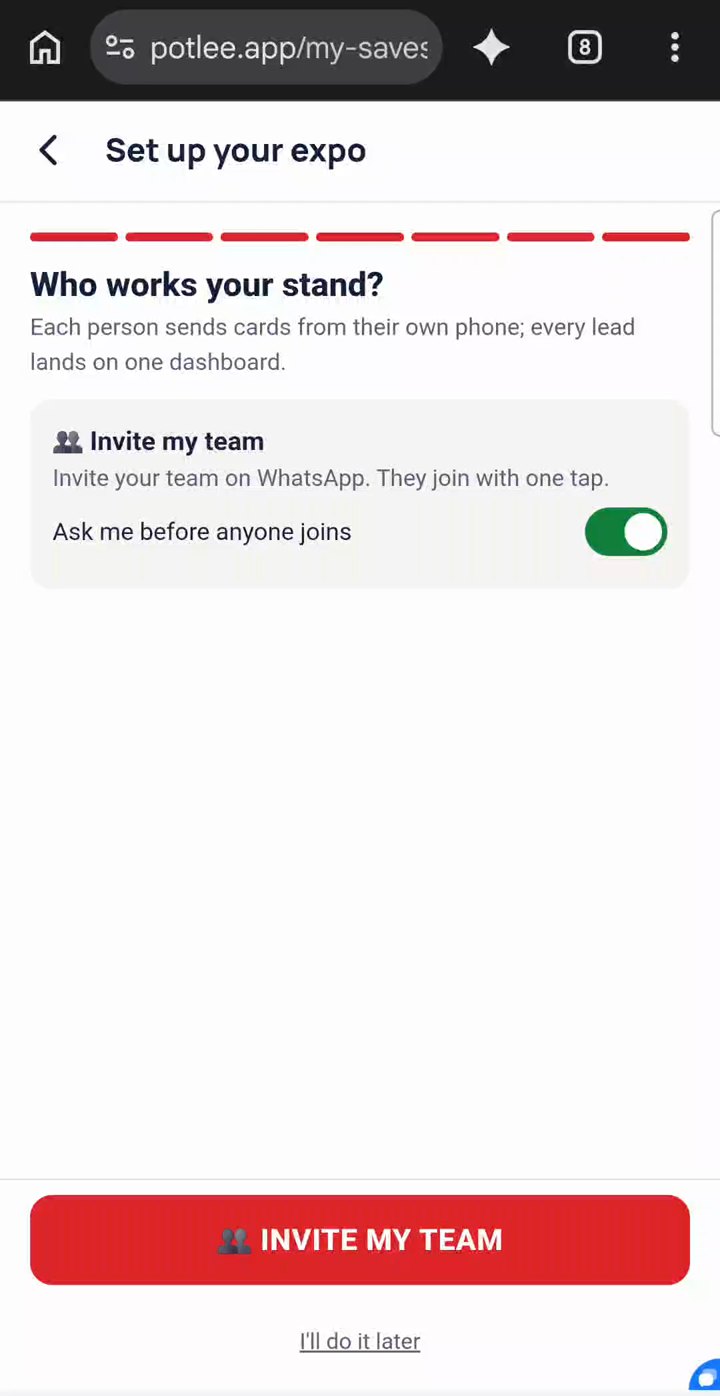
- "Who works your stand?" Each person sends cards from their own phone; every lead lands on one dashboard.
- Keep Ask me before anyone joins on if you want to approve each person, then tap 👥 INVITE MY TEAM. WhatsApp opens with your team's invite: send it to your people from your own WhatsApp. Or tap I'll do it later.
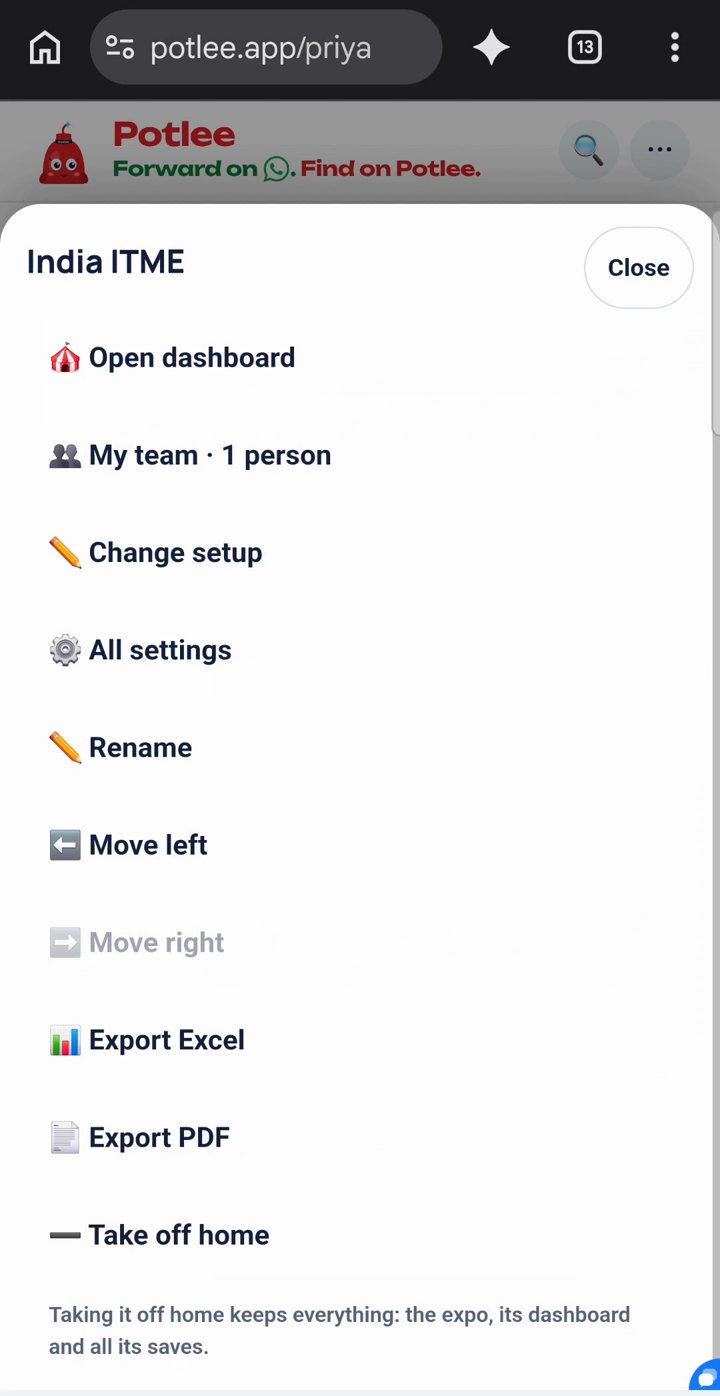
- Later, on Home, press and hold your expo and tap 👥 My team. The INVITE YOUR TEAM box has 📲 Share invite on WhatsApp, Copy invite and your team code.
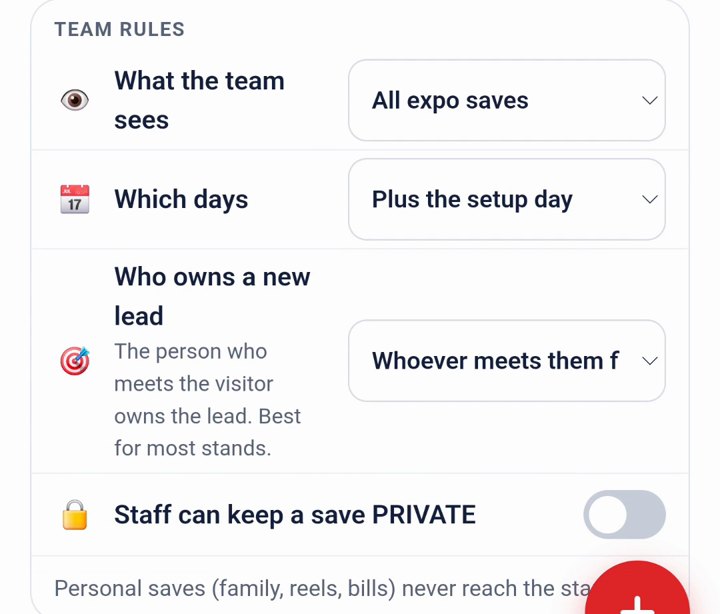
- Below it, under Team rules, set What the team sees, Which days and Who owns a new lead.
Each person joins from the invite with one tap, or by sending JOIN and your team code to Potlee on WhatsApp.
Step 7: Your stand is ready
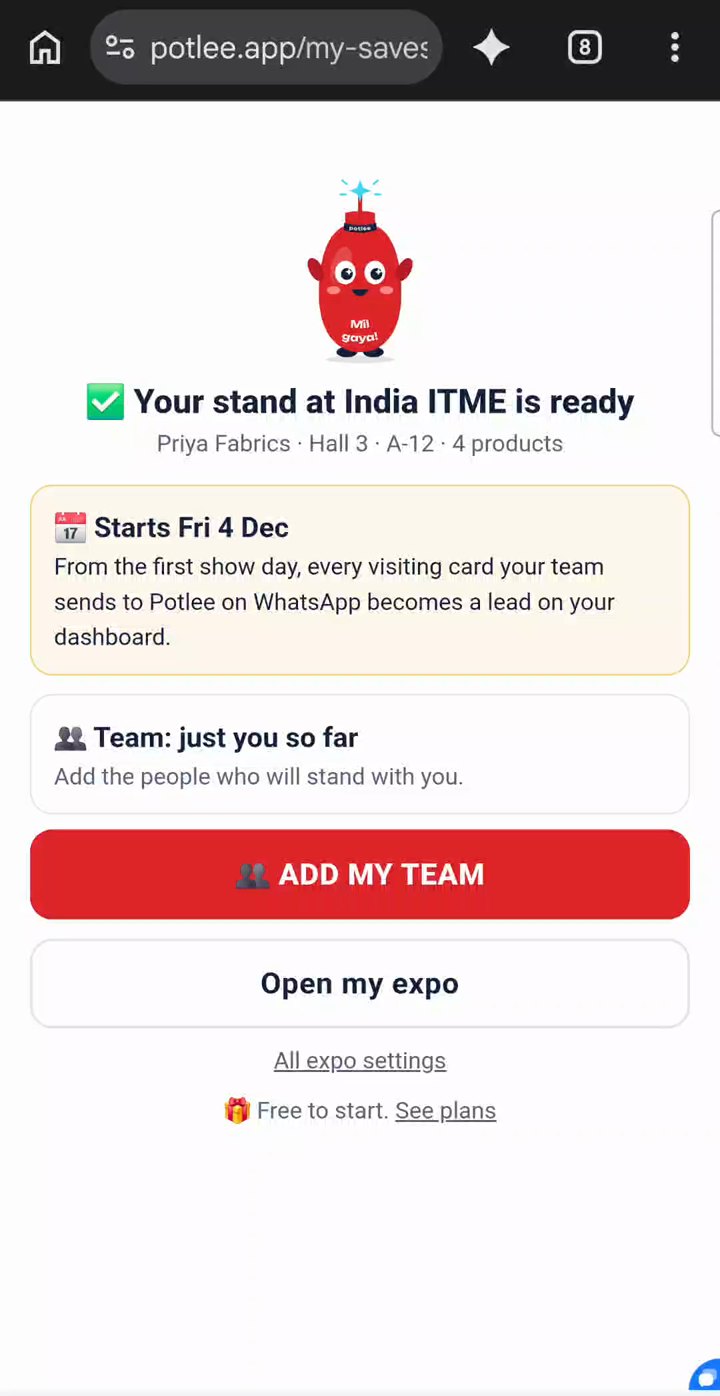
- You see "✅ Your stand at India ITME is ready", with your company, hall, stand and products.
- Before the show it says when it starts: "From the first show day, every visiting card your team sends to Potlee on WhatsApp becomes a lead on your dashboard."
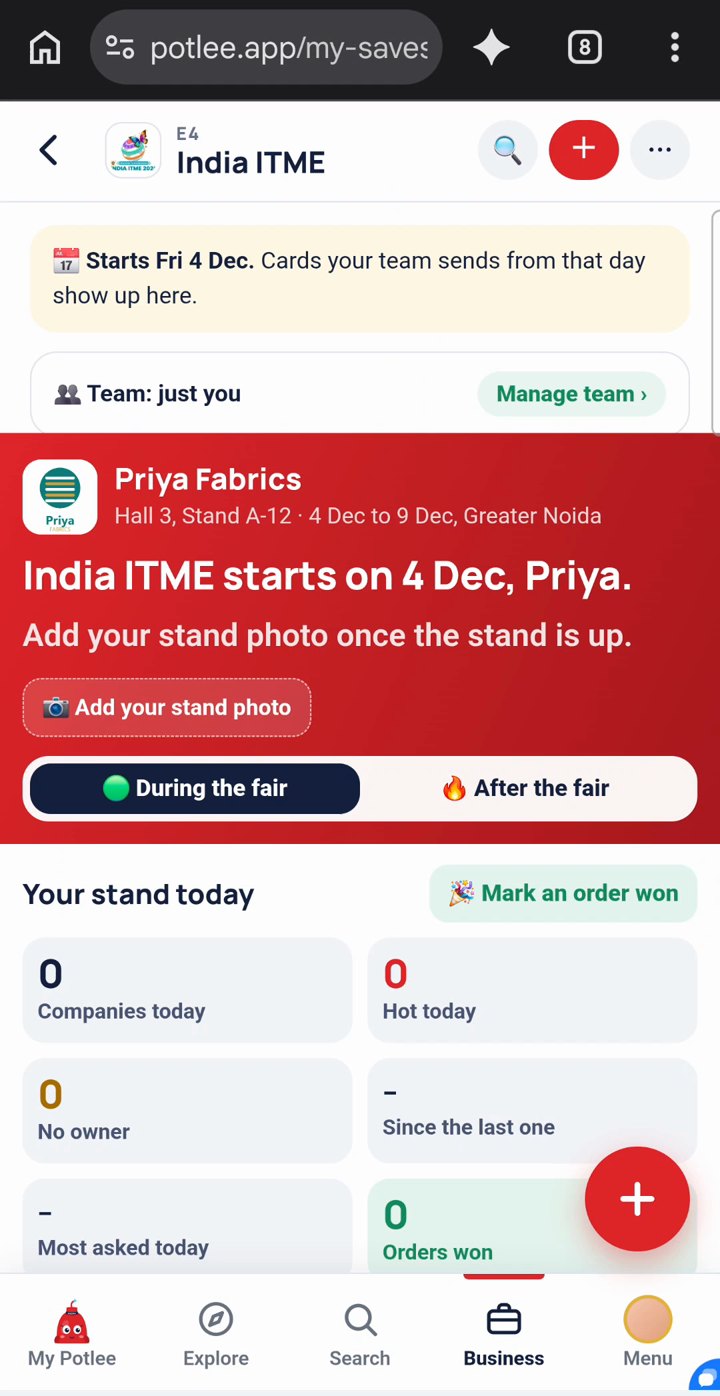
- Tap Open my expo to see your dashboard.
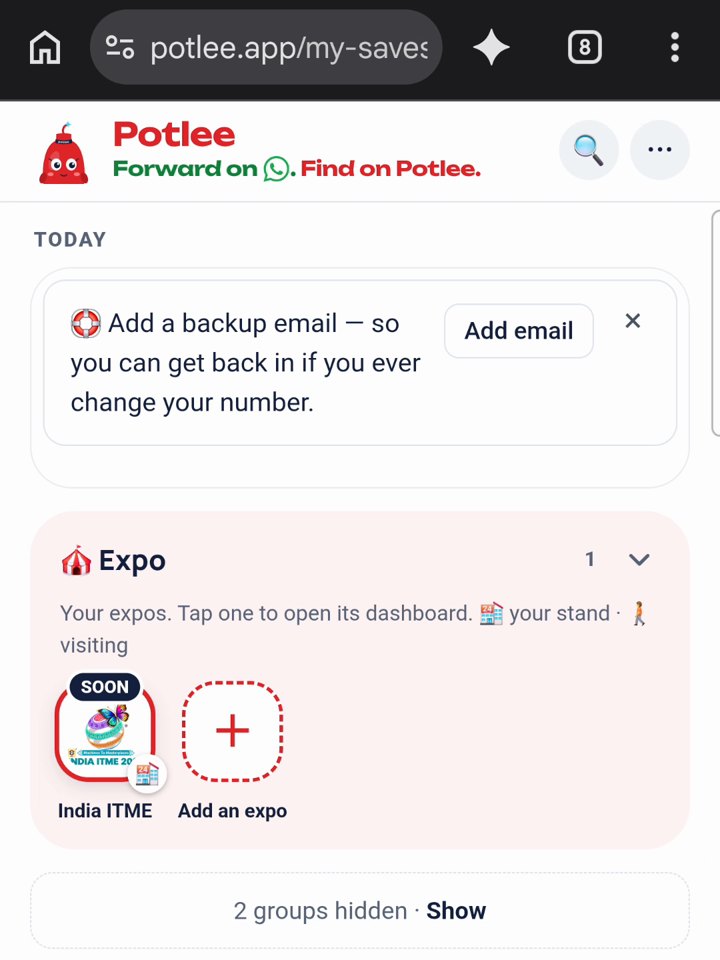
- On Home, your expo sits under 🎪 Expo. Tap it any time to open its dashboard.
On a show day the card changes to "🟢 The expo is on. Try it now", with a button that opens WhatsApp so you can send your first card.
▶ Watch Step 7 on YouTube (38 s)
Step 8: Change your setup later
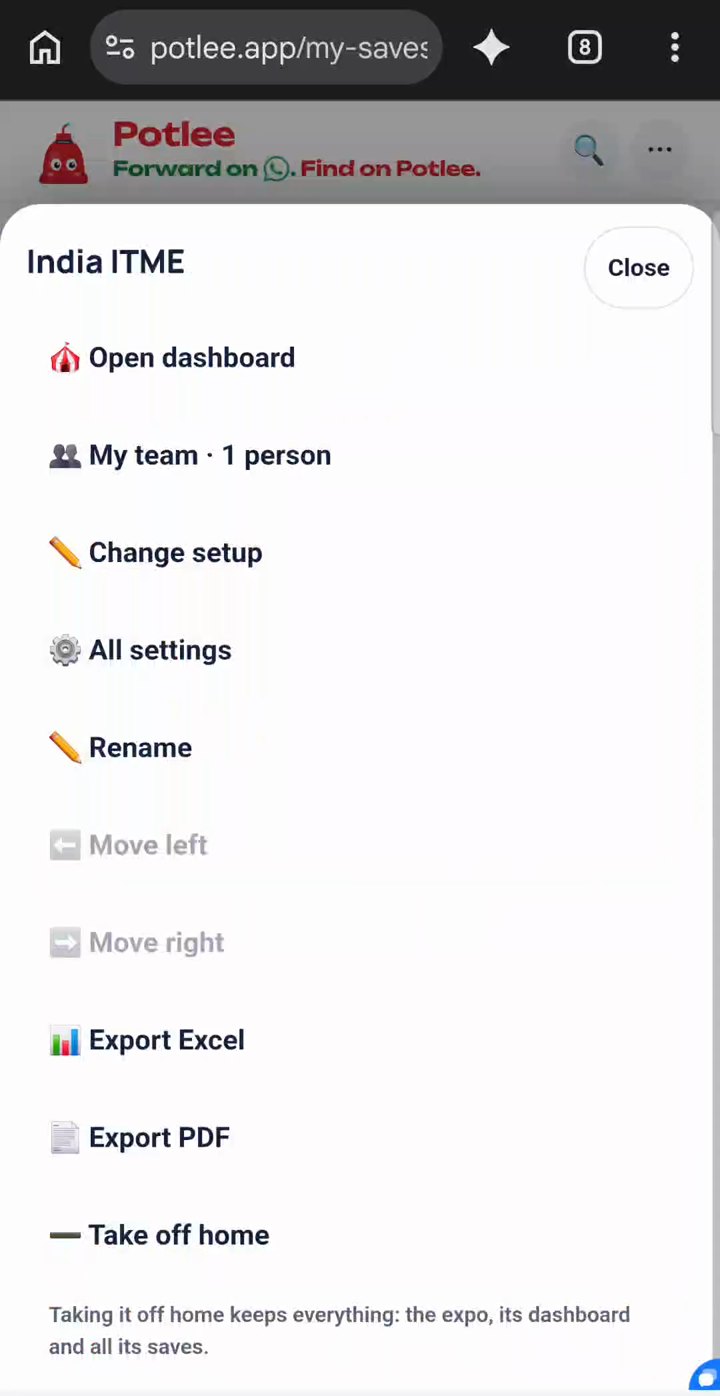
- On Home, press and hold your expo.
- Tap Change setup.
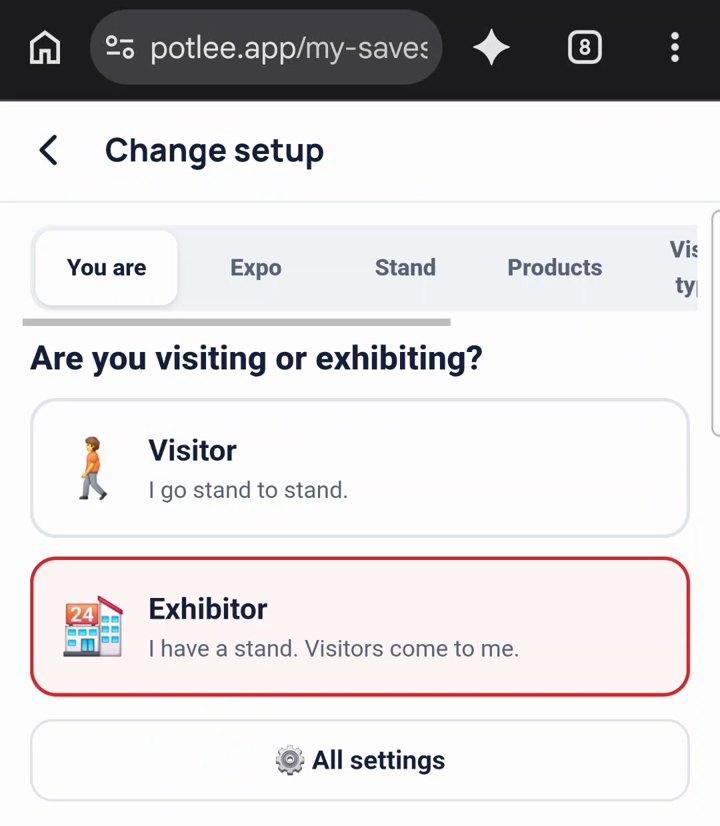
- Pick a tab (You are, Expo, Stand, Products, Visitor types, Next steps, Team), change what you need and tap Save.
The same menu has My team, All settings and Open dashboard.
▶ Watch Step 8 on YouTube (35 s)
Step 9: Visiting, not exhibiting?
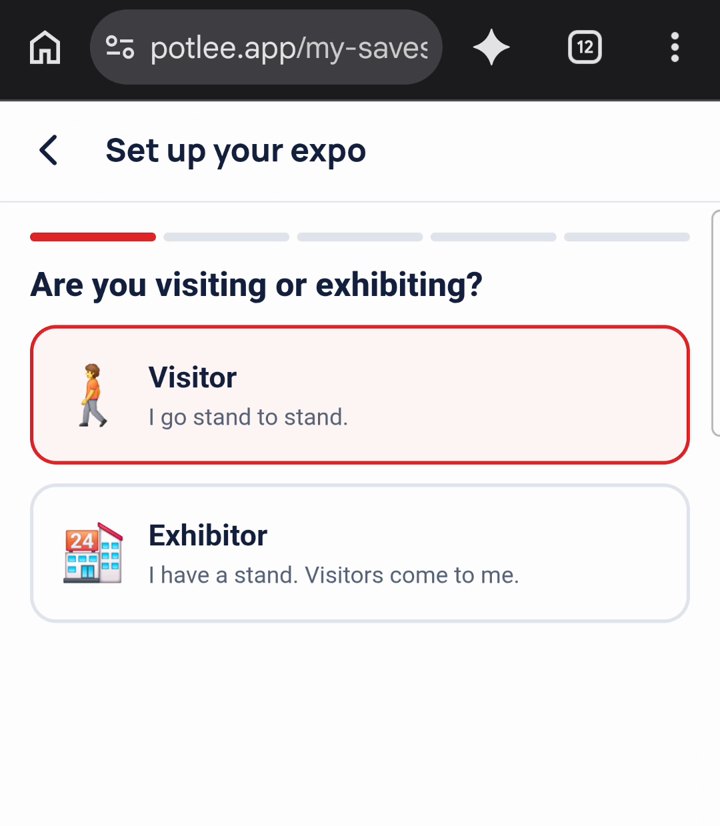
- Register the same way. In setup, tap Visitor ("I go stand to stand.") and tap Next.
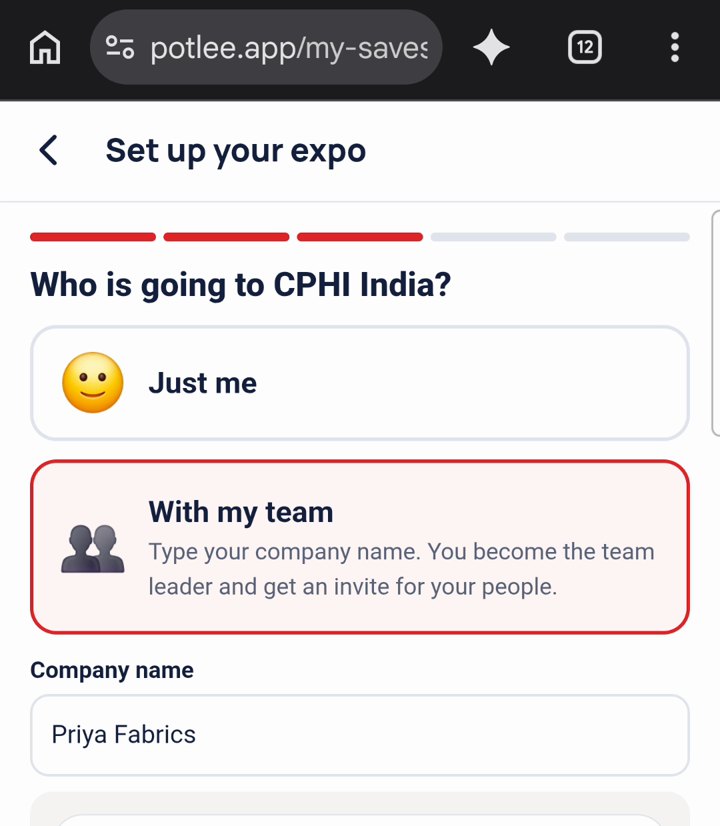
- Pick your expo. "Who is going to …?" Choose Just me, or With my team and type your company name: you become the team leader and get an invite for your people.
- "What are you looking for?" Add up to 10 products. A company that has one of these is a supplier.
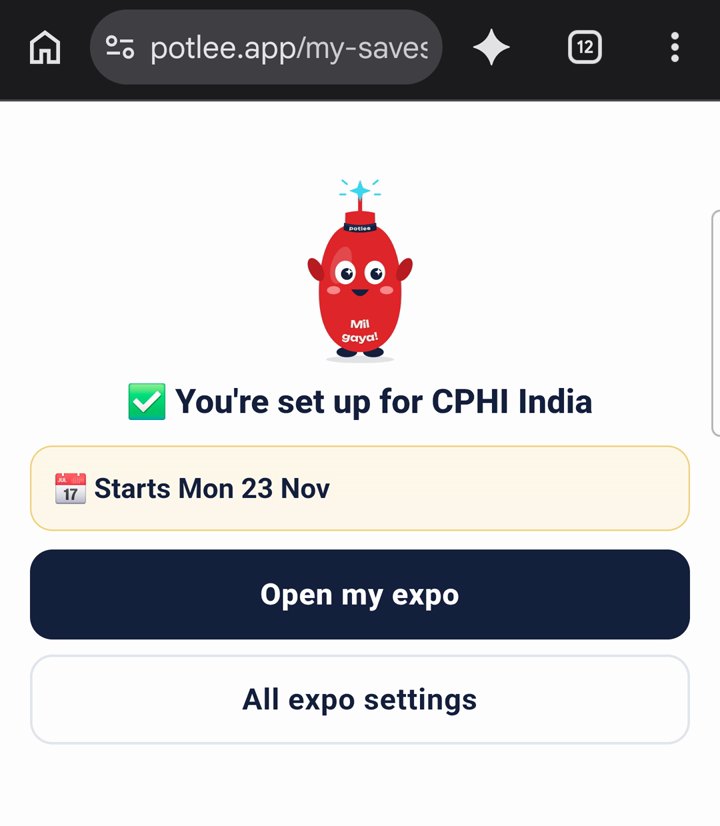
- Pick what you do after a visit, tap Finish, and you see "✅ You're set up for" your expo.
Step 10: Link not working? Log in with a code
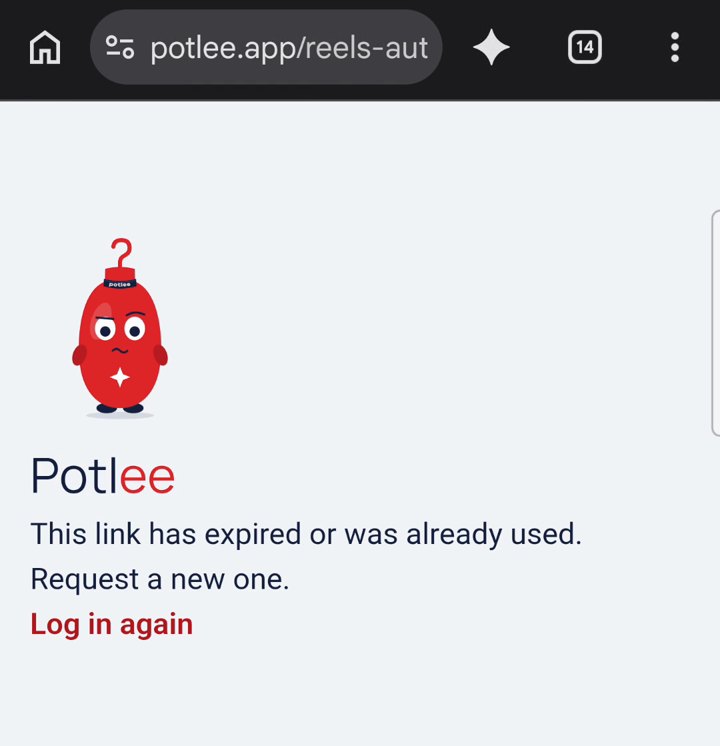
- If a link says "This link has expired or was already used.", tap Log in again.
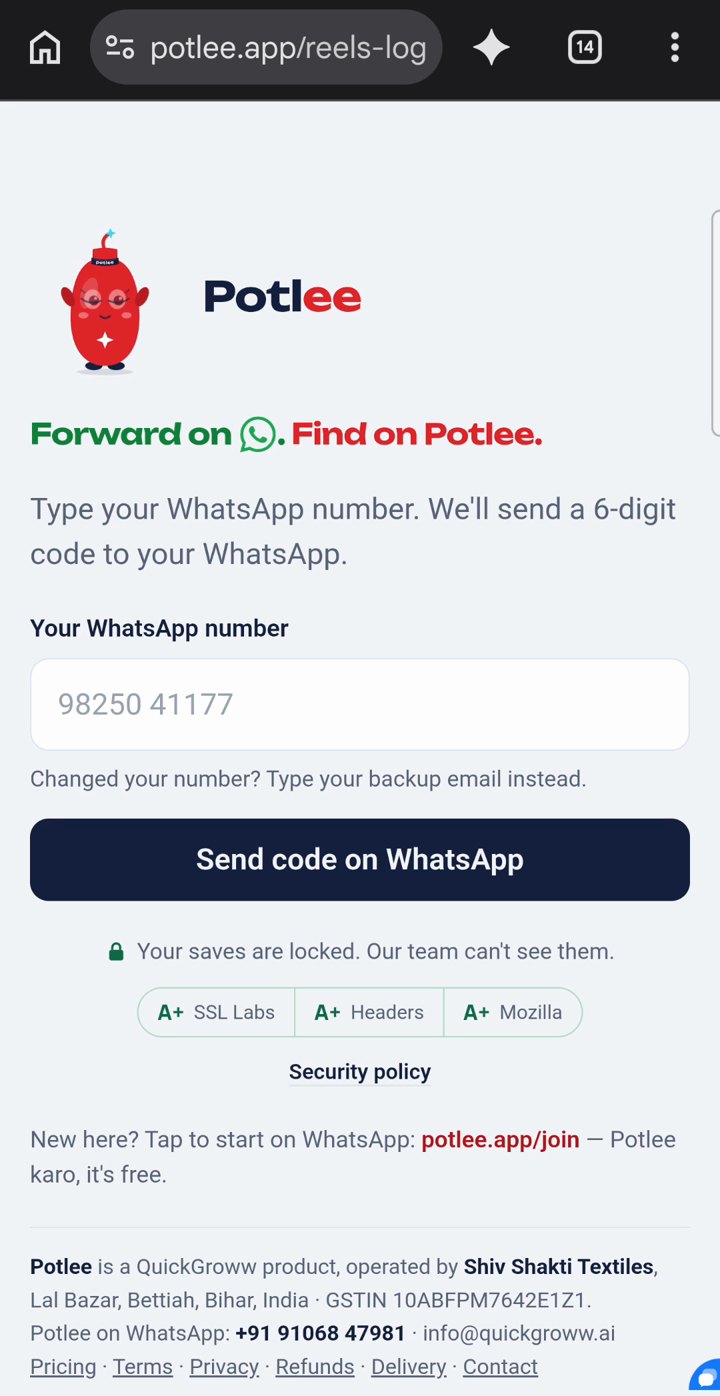
- Type your WhatsApp number and tap Send code on WhatsApp.
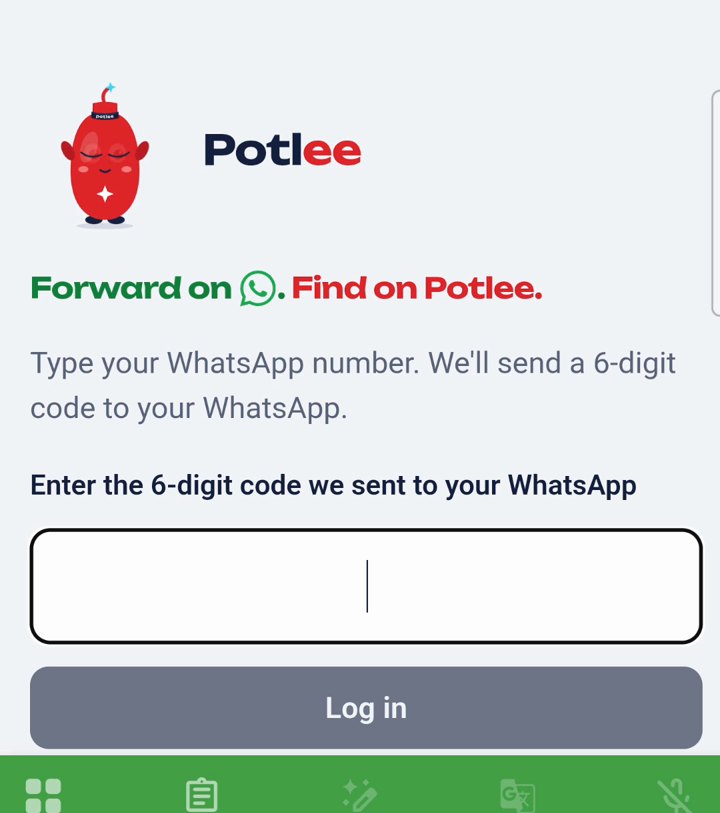
- Type the 6-digit code Potlee sends you on WhatsApp and tap Log in.
- On Home, tap Add an expo if your expo isn't there yet.
Changed your number? Type your backup email on the same screen instead.
▶ Watch Step 10 on YouTube (43 s)
Your setup checklist
- Registered: Potlee replied "You're registered" on WhatsApp
- Exhibitor picked and your expo chosen (or added from its website link)
- Company name typed; hall, stand number and stand size added
- Logo uploaded and fitted
- Up to 10 products added, so each visitor can be tagged to a product
- Visitor types and next steps checked
- Invite shared with everyone who will stand with you
- Potlee saved in your phone's contacts, so the whole team finds the chat
Get Potlee Expo Now
Send REGISTER EXPO to +91 91068 47981 on WhatsApp, or tap here to open WhatsApp. More about Potlee Expo for exhibitors: potlee.app/expo.
All 10 steps as short videos: the Potlee Expo: How to playlist on YouTube.
Turn Expo Visitors Into Customers.
Be a Smart Exhibitor with Potlee Expo.