

Key takeaways
- During an exhibition, the full picture of the stand is usually split between team members.
- Without a central view, the owner must ask each person what happened, and decisions wait until the show is over.
- Potlee Expo keeps every inquiry on one dashboard: the stand day by day, who brought which leads, and a team report on WhatsApp at 8 pm.
Is your company putting up a stall at a trade exhibition? Your team will meet buyers all day and generate inquiries. By evening, a lot has happened at your stand.
But during the exhibition, where do you see the full picture?
Watch: See the full picture of your stand in one place. (40 s, Hinglish with captions)
What is an exhibition lead dashboard?
Definition: An exhibition lead dashboard is one screen where an exhibitor sees every buyer the stand team has met, with the product asked about, how hot the lead is, the owner and the next step, while the show is still running.
The problem: the picture is split between people
At most stands, the owner or sales head wants simple answers:
- Which customers did we speak to?
- Which product got the inquiries?
- Which discussion was the important one?
And at most stands, the only way to get those answers is to go to each team member, one by one. Some of them are with buyers. Some are at another hall. The owner may not even be at the show.
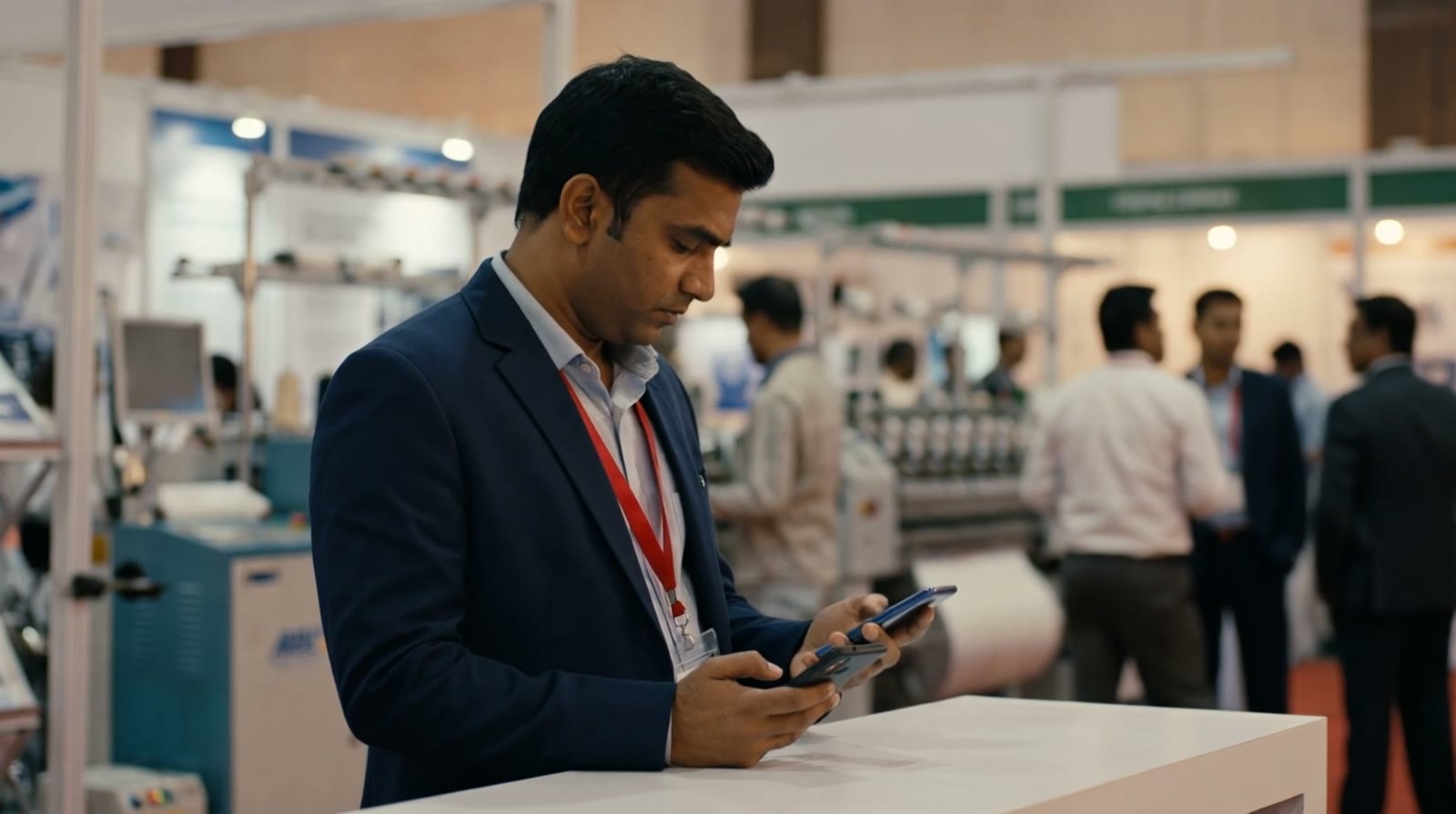
Each person holds a piece of the picture.
The result is that decisions during the show are made on a guess. Which product should we push on day two? Which hot lead needs the senior person today? By the time the full picture is put together, the show is over.
The solution: one central dashboard with Potlee Expo
With Potlee Expo, the stand team sends every card, note, photo and voice note on WhatsApp, and all of it lands on one central dashboard. Nobody has to be asked.
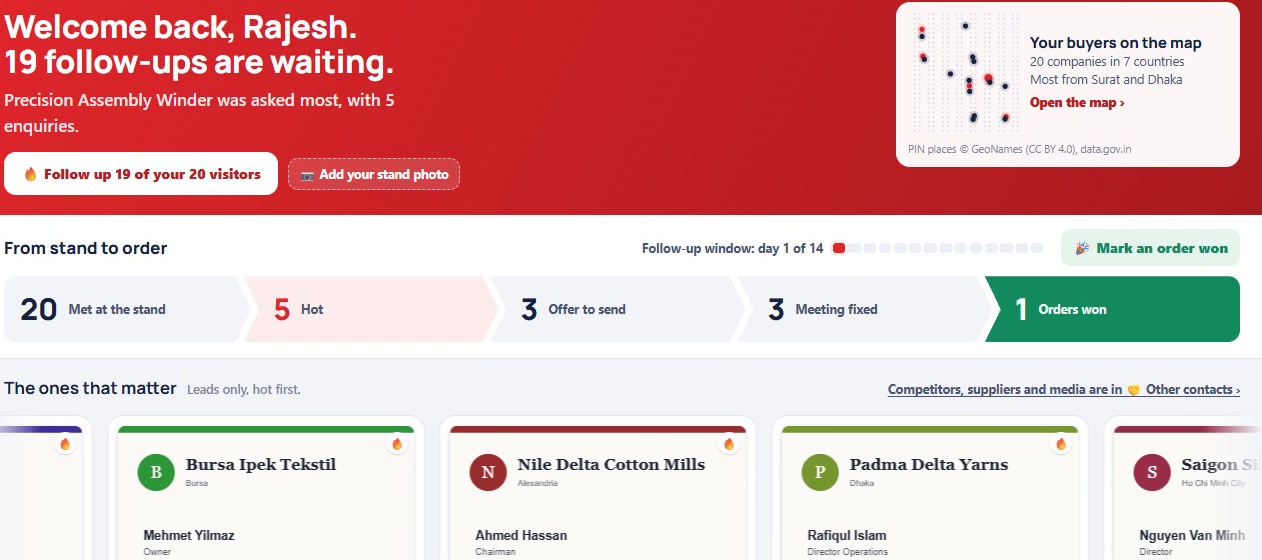
The whole show at a glance. Example screens with invented data.
Your stand, day by day
See every company your team met, in the order they came, with who met them, whether the lead is hot, and what happens next.
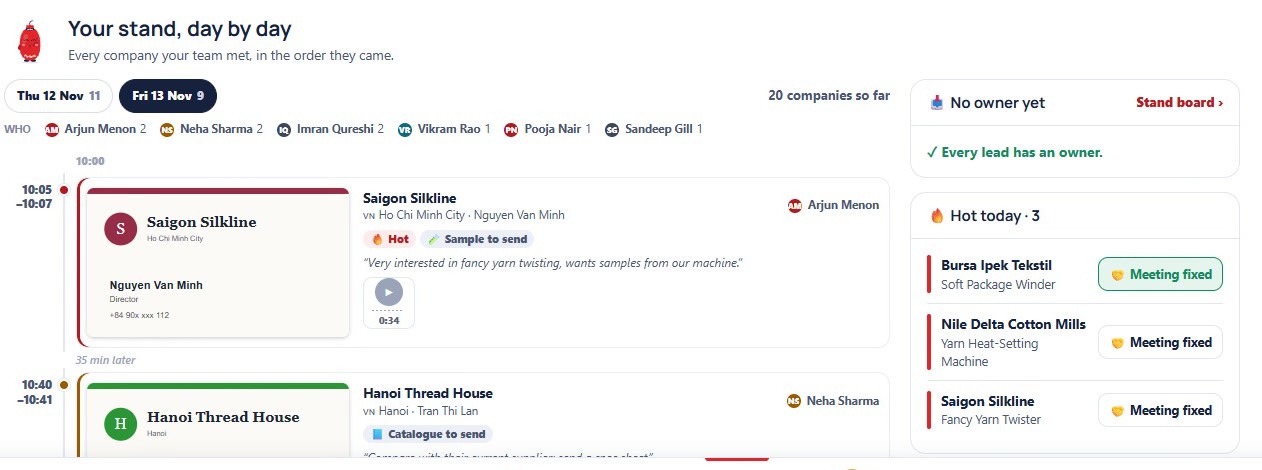
Your stand, day by day. Example screens with invented data.
The whole team in one view
See who brought which leads: how many buyers each person met, how many leads they own and how many orders they have won.
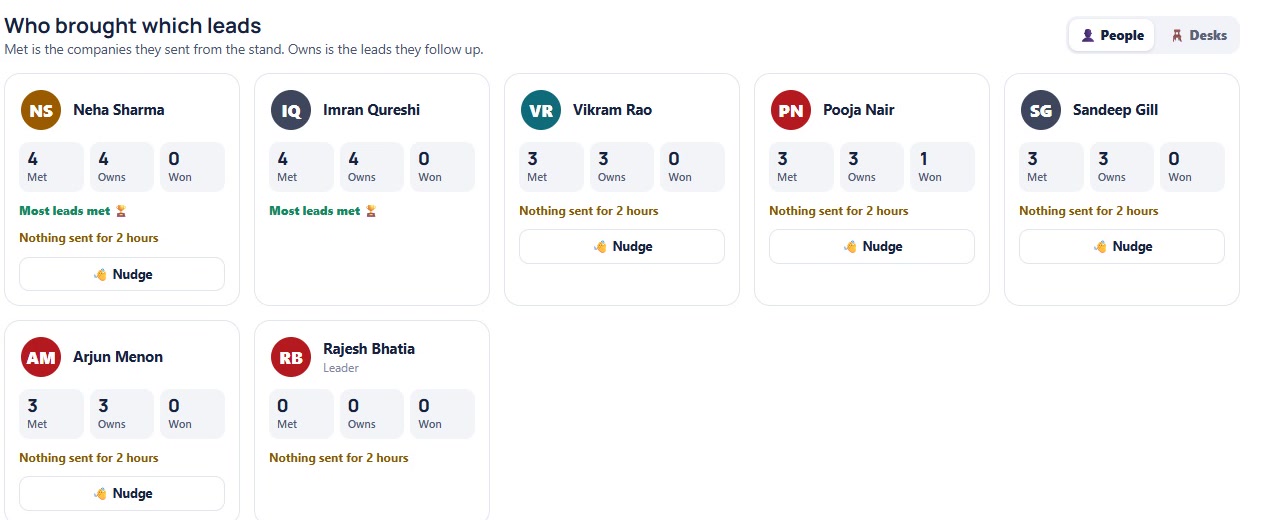
One exhibition. The whole team. Example screens with invented data.
From anywhere
The owner sees the stand from their own phone, even when they are not at the show, and a team report arrives on WhatsApp at 8 pm each show day.
What a central view changes
- Act during the show, not after it. See which product is drawing people and change the pitch on day two.
- Put your best people where it matters. Hot leads are visible, so the senior person can step in today.
- No more one-by-one questions. Everyone sees the same list.
One exhibition. The whole team. All the inquiries. One place.
Without and with Potlee Expo
| Question during the show | Without a central view | With Potlee Expo |
|---|---|---|
| Which customers did we meet? | Ask each person | Your stand, day by day |
| Which product got inquiries? | Guess | What buyers asked for, counted |
| Which lead is hot? | Ask around | Hot or warm on every lead |
| Who is following up? | Unclear | An owner on every lead |
Checklist before your next exhibition
- Everyone who meets visitors is on one team
- The owner can open the stand on their own phone
- Hot leads are checked each day, so the senior person can step in
- The product drawing the most interest is checked after day one
The 6 exhibition problems series
Each problem has its own short Potlee Expo video and article:
- 6 exhibition problems every exhibitor faces, and one solution
- 1. Scattered information: cards, diaries, phones and memory
- 2. Days of data entry after the show
- 3. No central view of the stand during the show (this article)
- 4. Forgotten buyer requirements
- 5. No analysis: which products and countries asked the most
- 6. Who met which buyer?
New to Potlee Expo? Start with What is Potlee Expo?
How to start
- Send REGISTER EXPO to +91 91068 47981 on WhatsApp.
- Add everyone who will meet visitors at the stand to one team.
- Open the dashboard on your phone or computer and watch the show come together.
Get Potlee Expo Now
Send REGISTER EXPO to +91 91068 47981 on WhatsApp, or tap here to open WhatsApp. More about Potlee Expo for exhibitors: potlee.app/expo.
6 Exhibition Problems. One Solution. Potlee Expo.
Turn Expo Visitors Into Customers.
Be a Smart Exhibitor with Potlee Expo.