
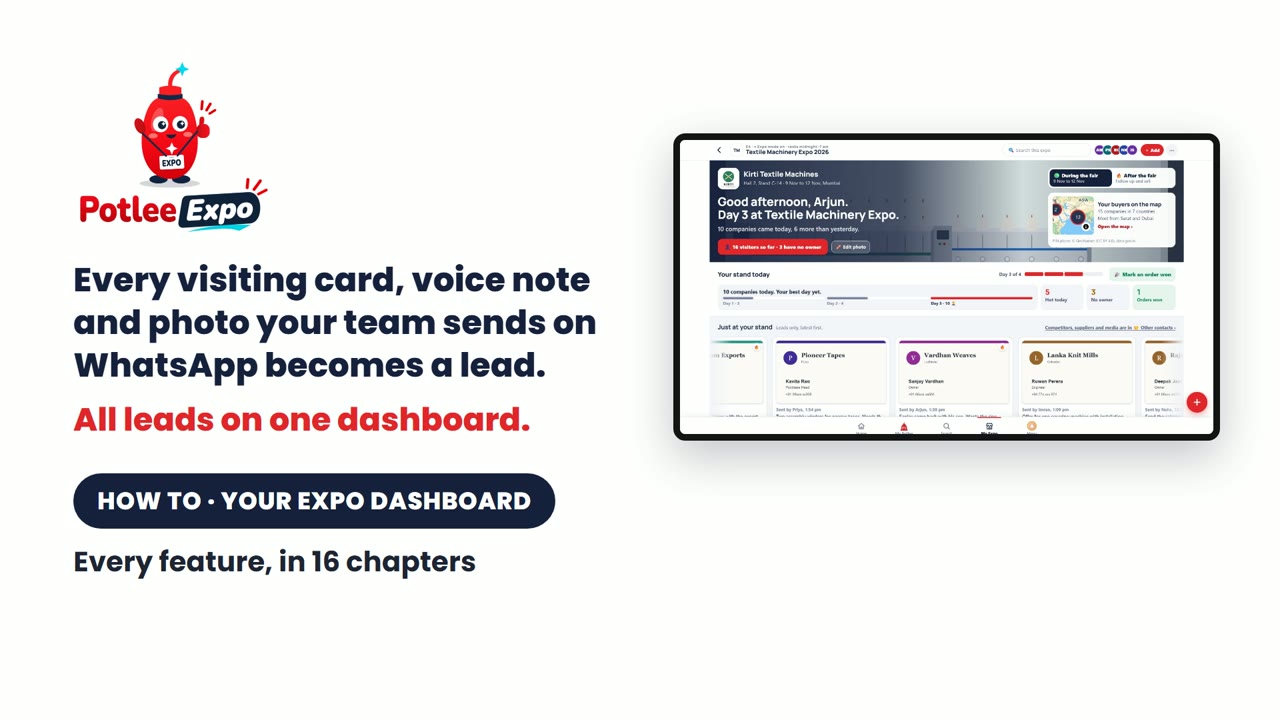
This Learn page walks through every feature of the Potlee Expo dashboard, in the same order as the 16-chapter video below. It is for exhibitors at ITME, Gartex, Heimtextil and other trade fairs.
Watch: every feature in 16 chapters (12 min). The screens show a made-up demo stand, Kirti Textile Machines, at a test expo.
What is Potlee Expo?
Definition: Potlee Expo turns every visiting card, voice note and photo your stand team sends on WhatsApp into a lead, with all your leads on one dashboard.
New to Potlee Expo? First register and set up your stand.
The dashboard at a glance
| You want to | Open | Chapter |
|---|---|---|
| Watch cards arrive during the fair | Live stand | 3 |
| Give a lead to another team member | Stand board | 4 |
| See leads by type, day or team member | Leads | 5 |
| See what buyers asked for | Products | 6 |
| See where buyers came from | Buyer map | 7 |
| Link a loose photo to its company | Missing details | 8 |
| Call your leads in order | Follow up | 11 |
| Get Excel or PDF | Export, or the ⋯ menu | 12 |
| Set products, logo and Expo mode | Settings | 14, 15 |
Why your stand needs one dashboard
At a big show, every person on your stand meets five or six visitors an hour. Cards go into pockets, voice notes sit on ten different phones, and catalogues get lost. After the show it takes weeks to put it all together, and most of it is never followed up.
Potlee Expo fixes this. Your team sends everything on WhatsApp, and one dashboard shows your whole stand.
▶ Watch on YouTube: chapter 1 (35 s)
Make your stand team
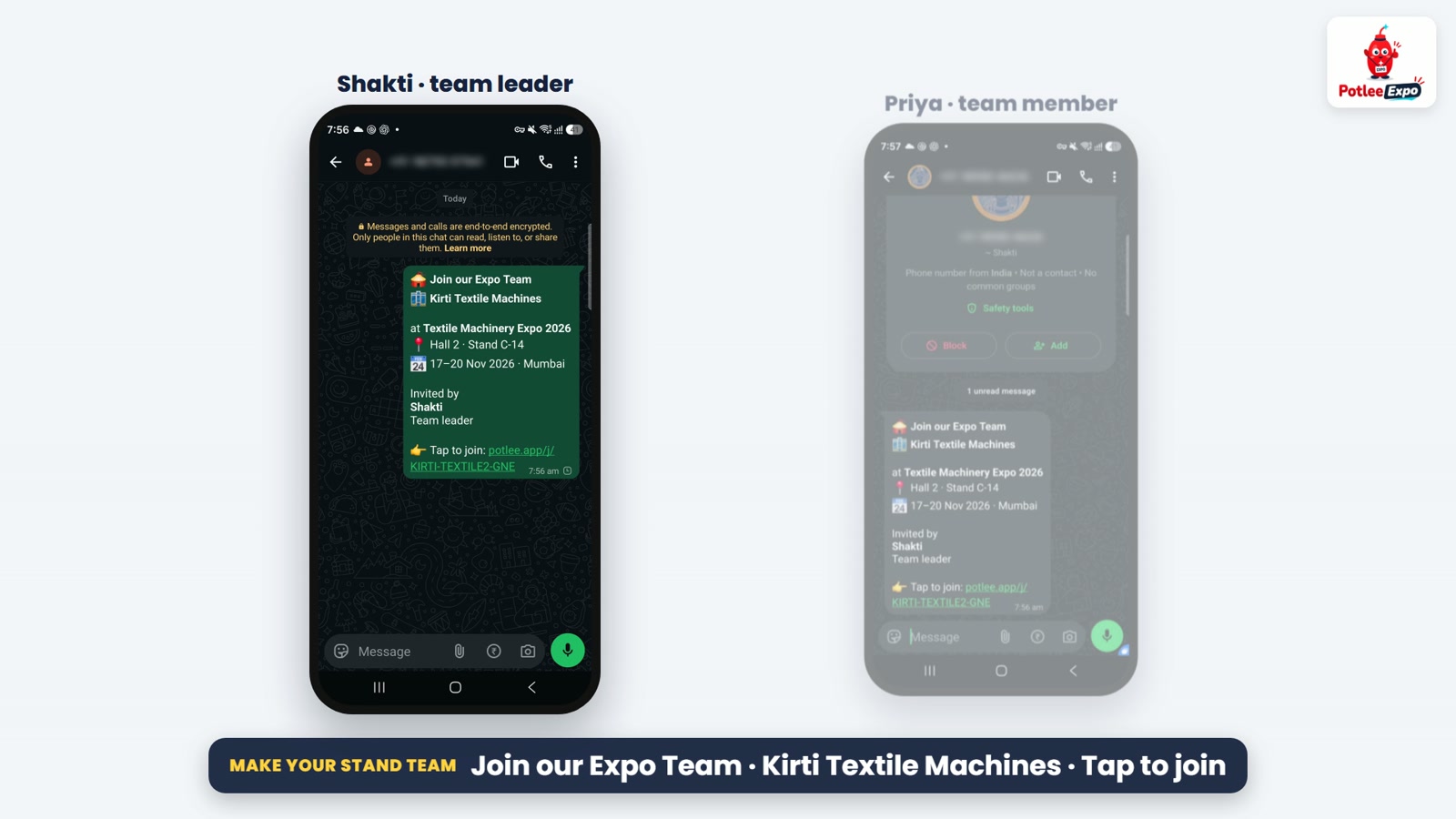
One person can't cover a stand. Cards end up on five phones, and nobody knows who met whom. The leader makes the stand team once:
- In Expo Settings, type your company name, hall and stand, then tap Make the stand team.
- Tap Share invite on WhatsApp. Your staff get a card with your company banner.
- Your staff member taps it, then Join the team. The join code is already typed. They just press Send.
- The leader gets the request and approves it. Only your own people ever see your leads.
- They're in. From now on, every card they send lands on your stand board.
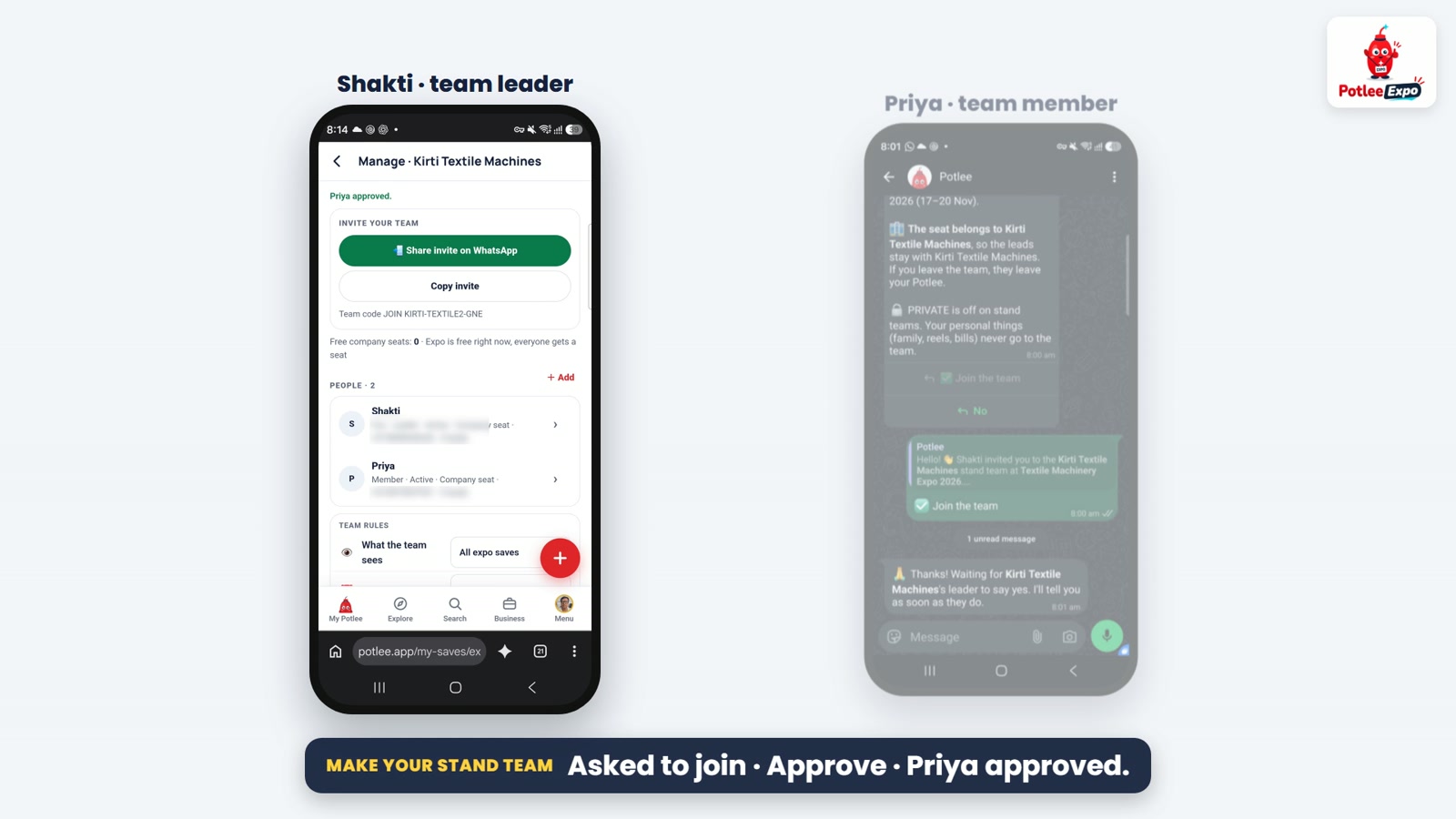
Set each person's role (team member, desk lead or view only) and their desk. Someone leaves? Give their leads to… passes their leads to another team member, so nothing is lost. Need more people later? Add them from Manage team, with the same link.
▶ Watch on YouTube: chapter 2 (1:09)
During the fair: your team sends, the dashboard fills live
Your team just sends to Potlee on WhatsApp: the visiting card first, then the photos, video, catalogue and voice note that go with it.
- Expo mode on, under the expo name, means everything your team sends is filed into this expo, company by company.
- Potlee reads each card, makes the company, and asks the product and the next step right there on WhatsApp.
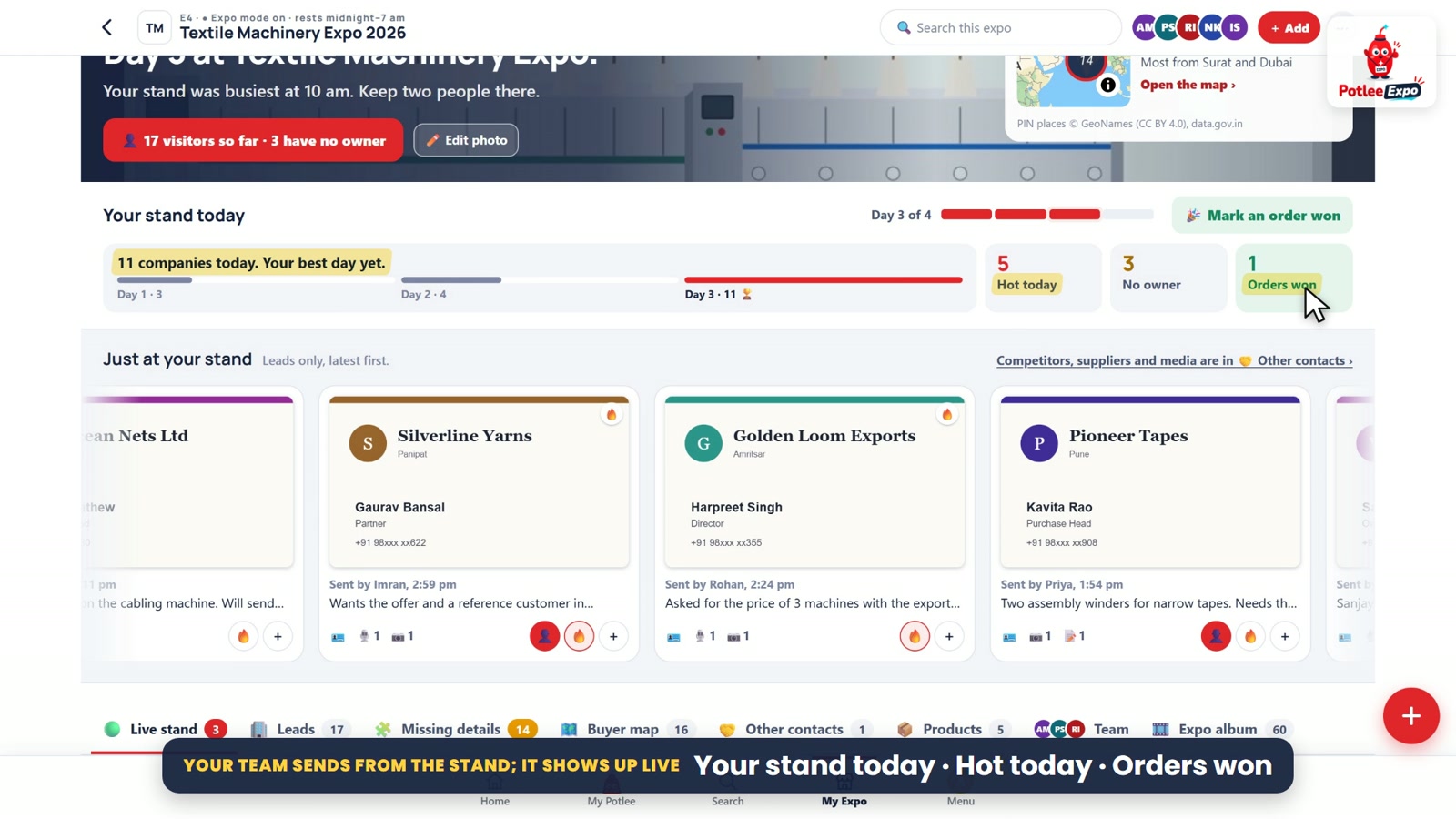
- Every card lands on the live wall within minutes, newest first, showing who sent it and when, the words from the voice note, and what was collected.
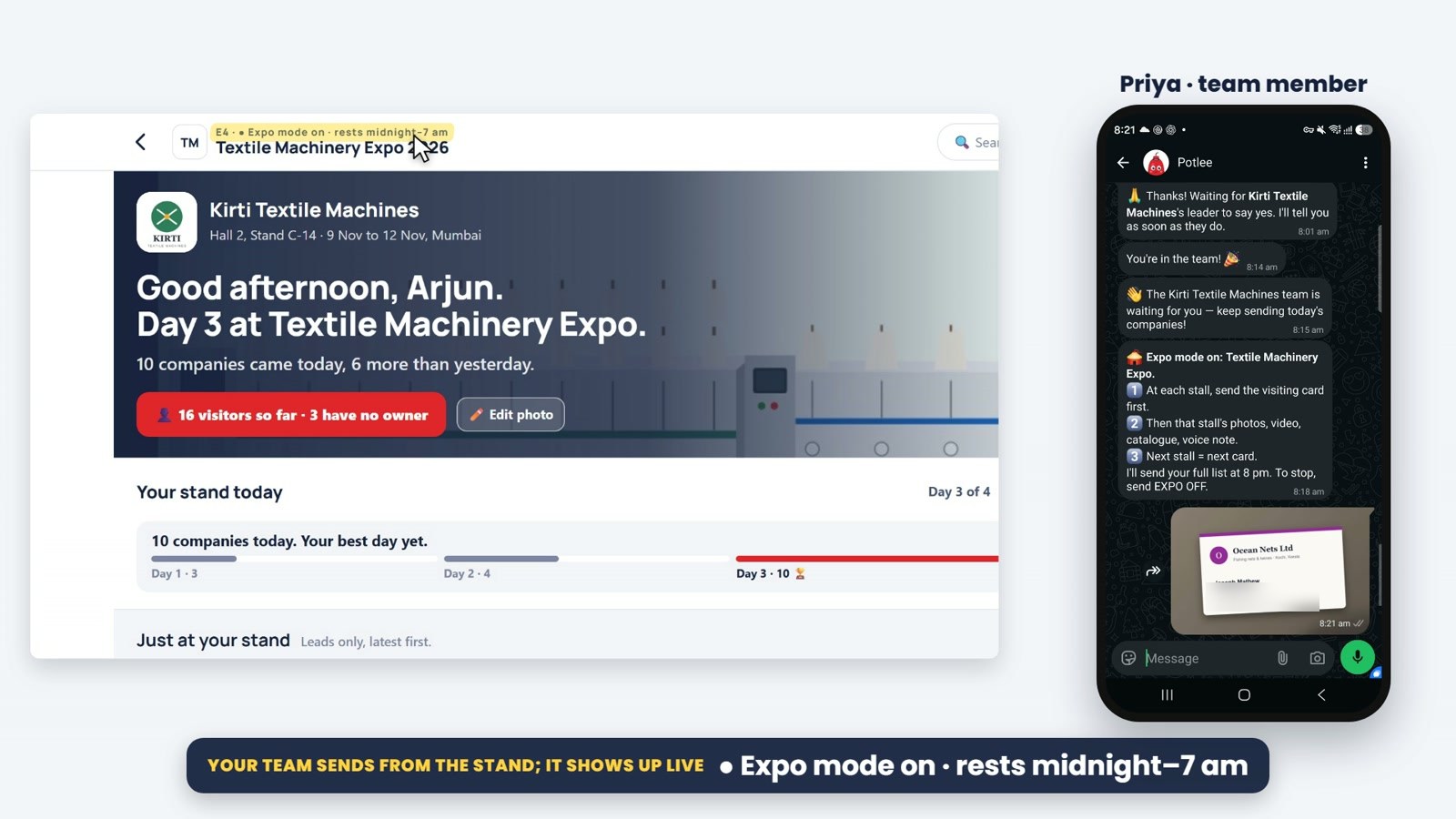
Your stand today races you against your best day, with hot leads, leads still without a team member, and orders won. Each box opens the leads behind it. At 8 pm the leader gets the stand report on WhatsApp.
▶ Watch on YouTube: chapter 3 (1:28)
Every lead linked to a team member
Every lead is linked to one team member: the person who will follow it up. By default, it is whoever meets the visitor. Big stands can link leads by country, by topic, or in turns inside a desk, such as Machines or Spares.
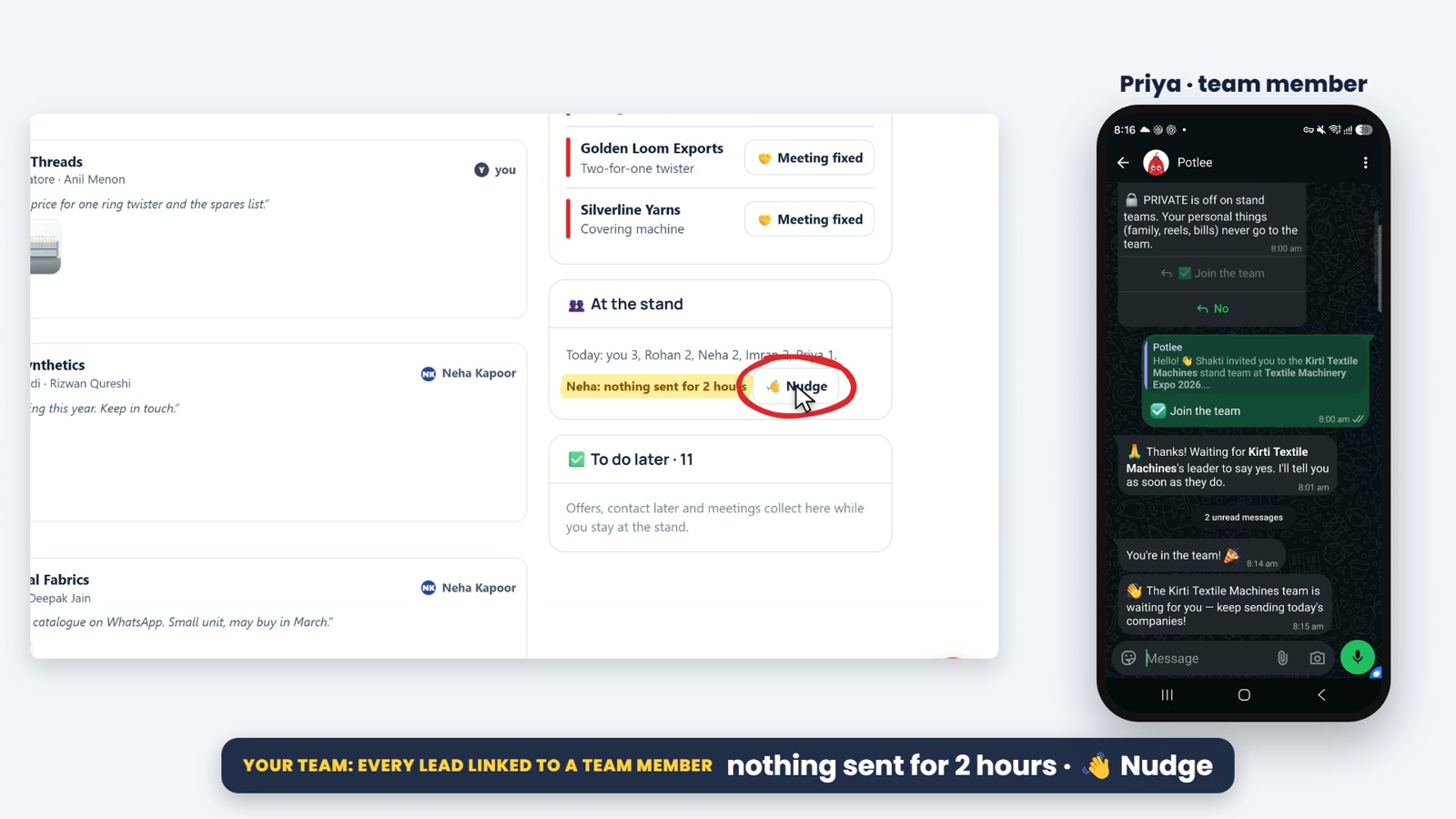
A lead with no team member yet shows Take it: one click, and it's yours. The leader can give any lead to another team member from the Stand board. At the stand shows how many visitors each person has sent today. Someone quiet for two hours? The leader nudges them on WhatsApp.
▶ Watch on YouTube: chapter 4 (1:29)
After the fair: your leads your way, and what your stand achieved
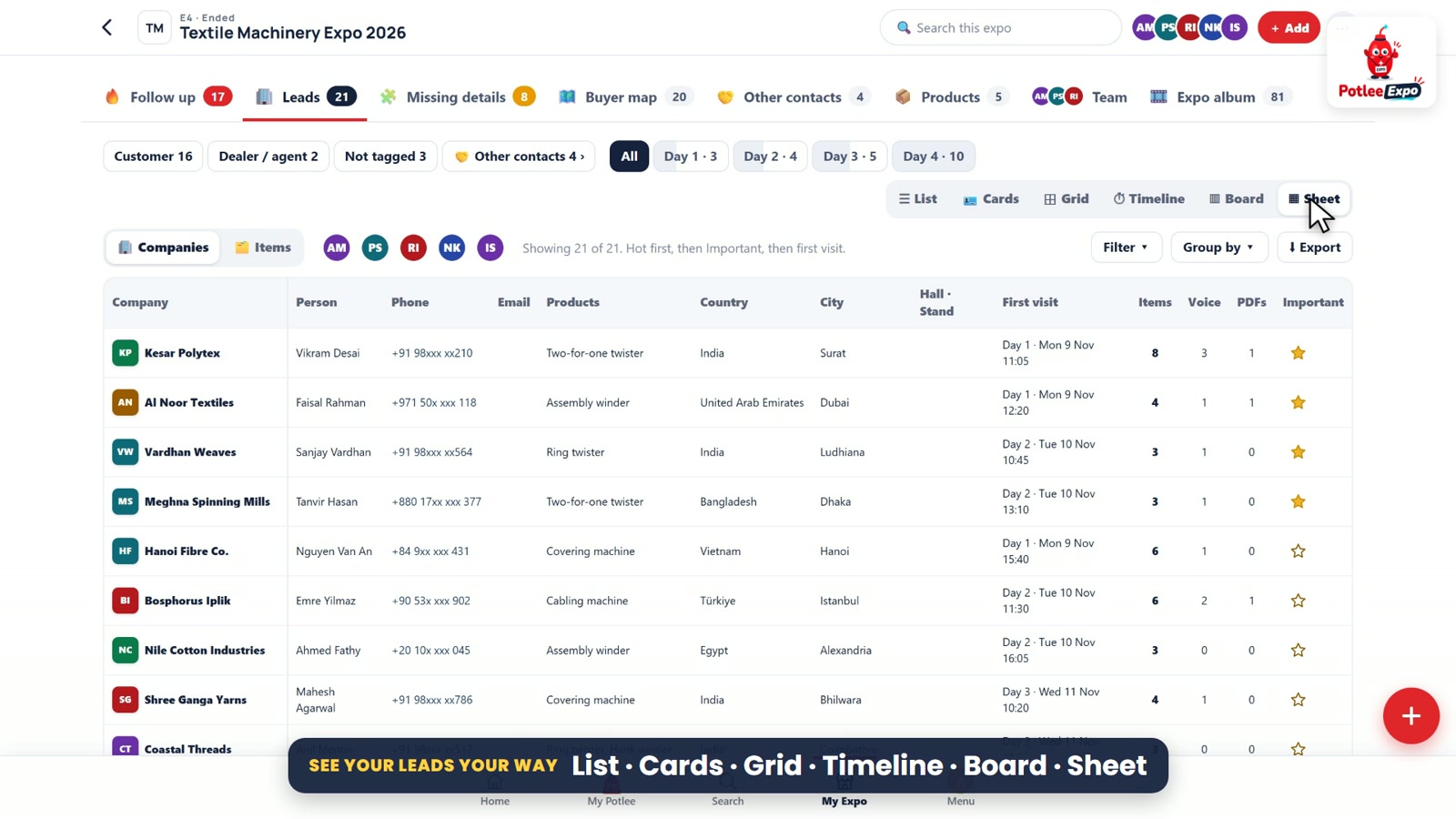
The fair is over. Open Leads: every buyer company your team met, by type, by day of the fair, or by team member.
- Six views: list, cards, grid, timeline, board and sheet. The timeline replays the fair, visit by visit.
- Filter by country, city, product or to-do, and group by type, product, country or team member.
- Search finds any company, person or product, even the words in a voice note.
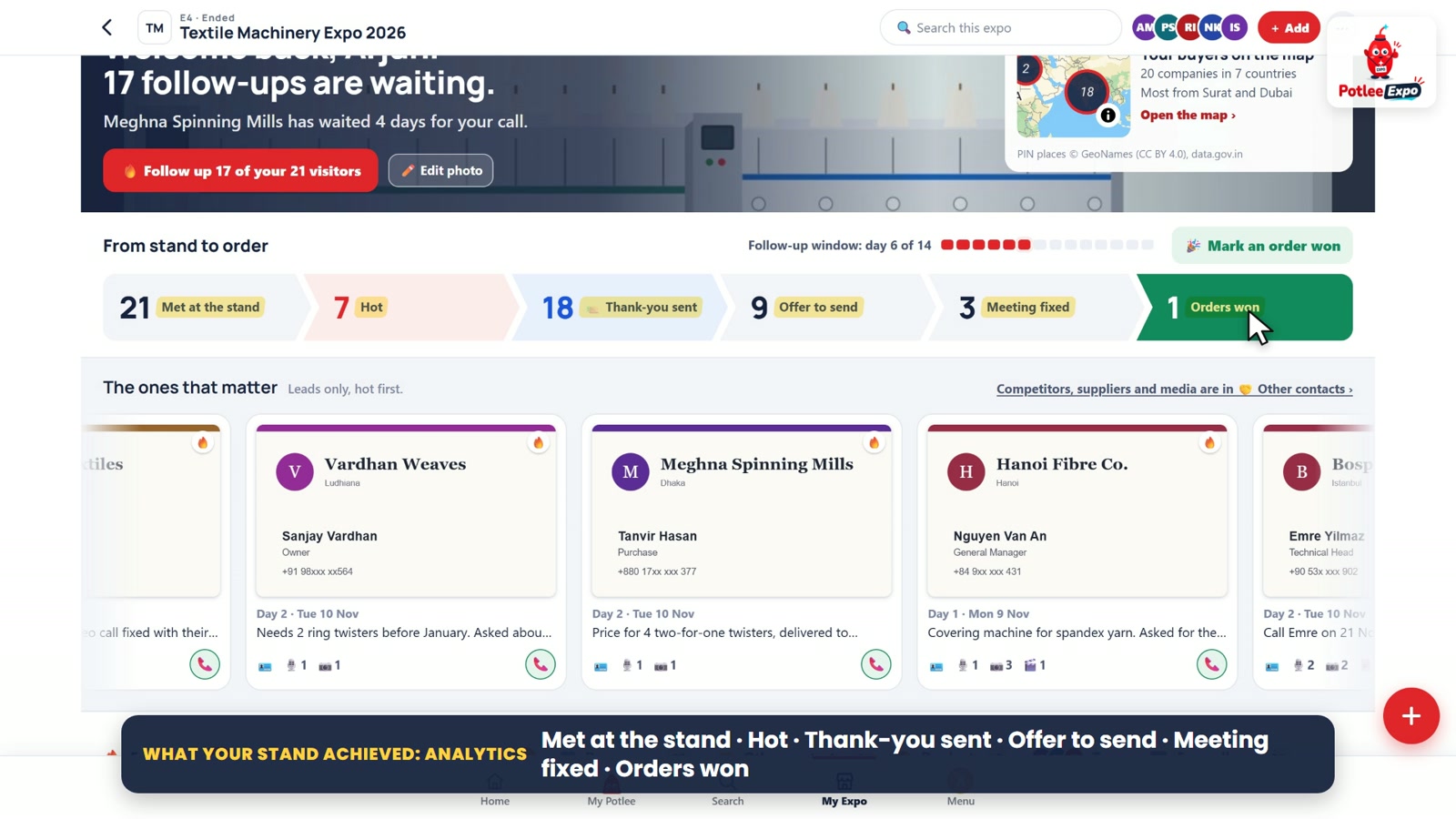
The top shows the whole journey, from stand to order: met at the stand, hot, thank-you sent, offers to send, meetings fixed, and orders won. Click any step to see those leads. Products shows what buyers asked for, including what isn't on your list yet.
▶ Watch on YouTube: chapter 5 (1:09) · chapter 6 (1:01)
Where buyers came from, and what the rush left out
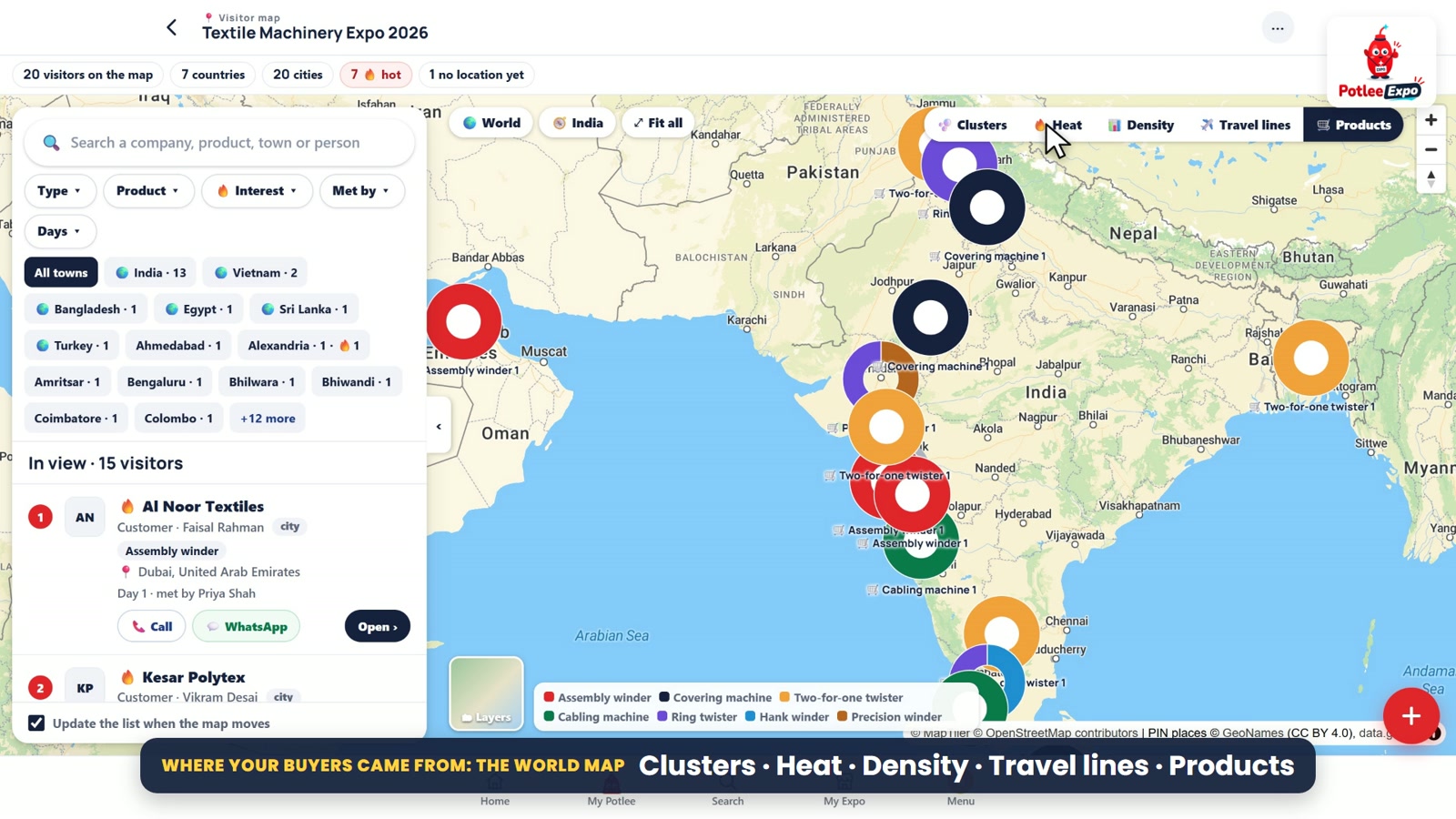
Potlee puts every lead on a real map, from the address on the card. On the Buyer map tab, click a city to see its companies. Full map shows every buyer on a world map, with clusters, heat, density, travel lines to the venue, and products by place.
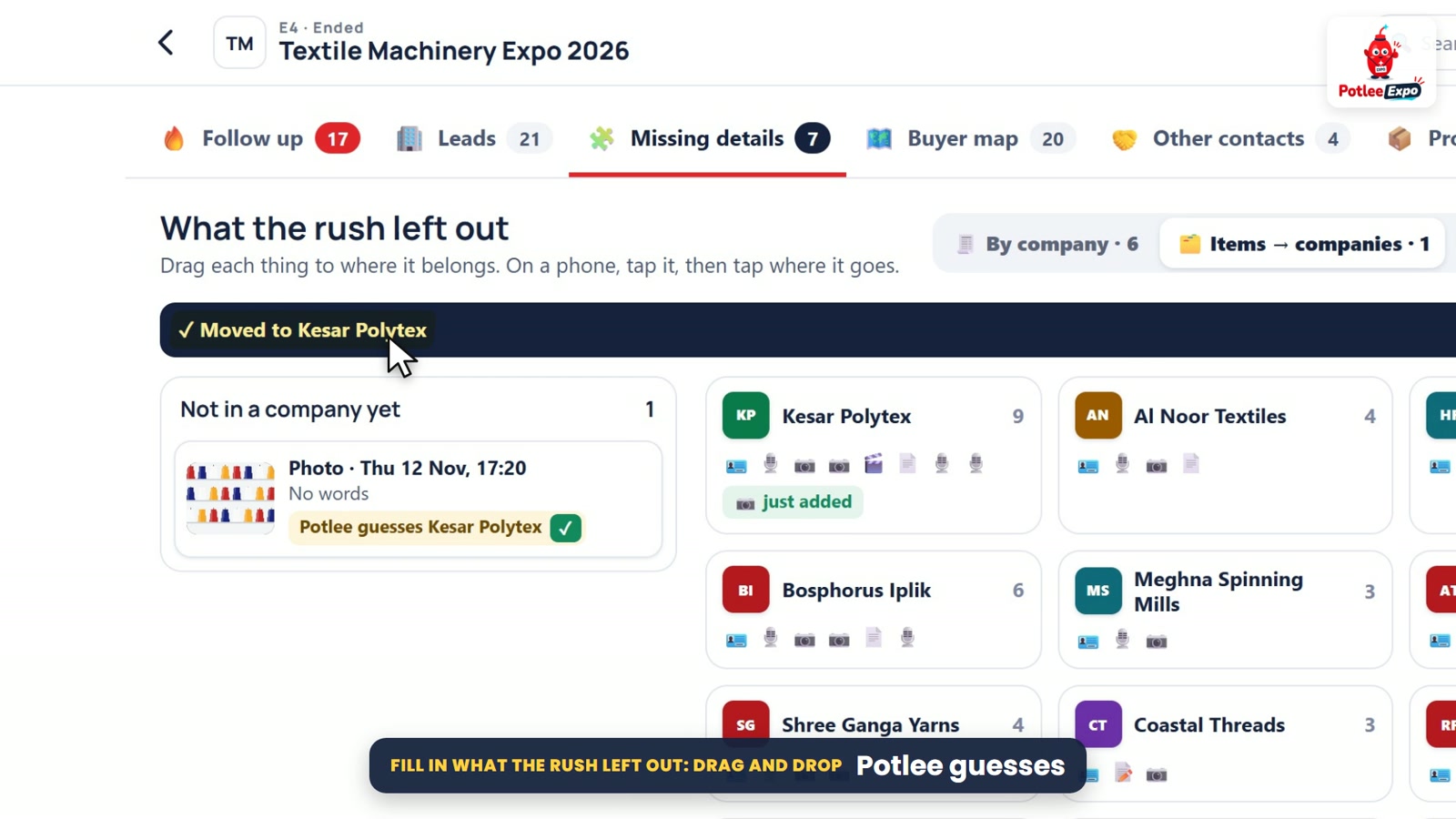
Missing details collects every gap the rush left, company by company:
- A photo with no card: drag it onto its company. Potlee even guesses which.
- No next step: drag the lead onto a to-do.
- No product: drag your product onto the lead, or type one.
- No city: type it, and the lead lands on the map.
Every move can be undone. Two minutes here at the end of each day links every photo to the right buyer.
▶ Watch on YouTube: chapter 7 (55 s) · chapter 8 (56 s)
Other contacts, and everything about one buyer
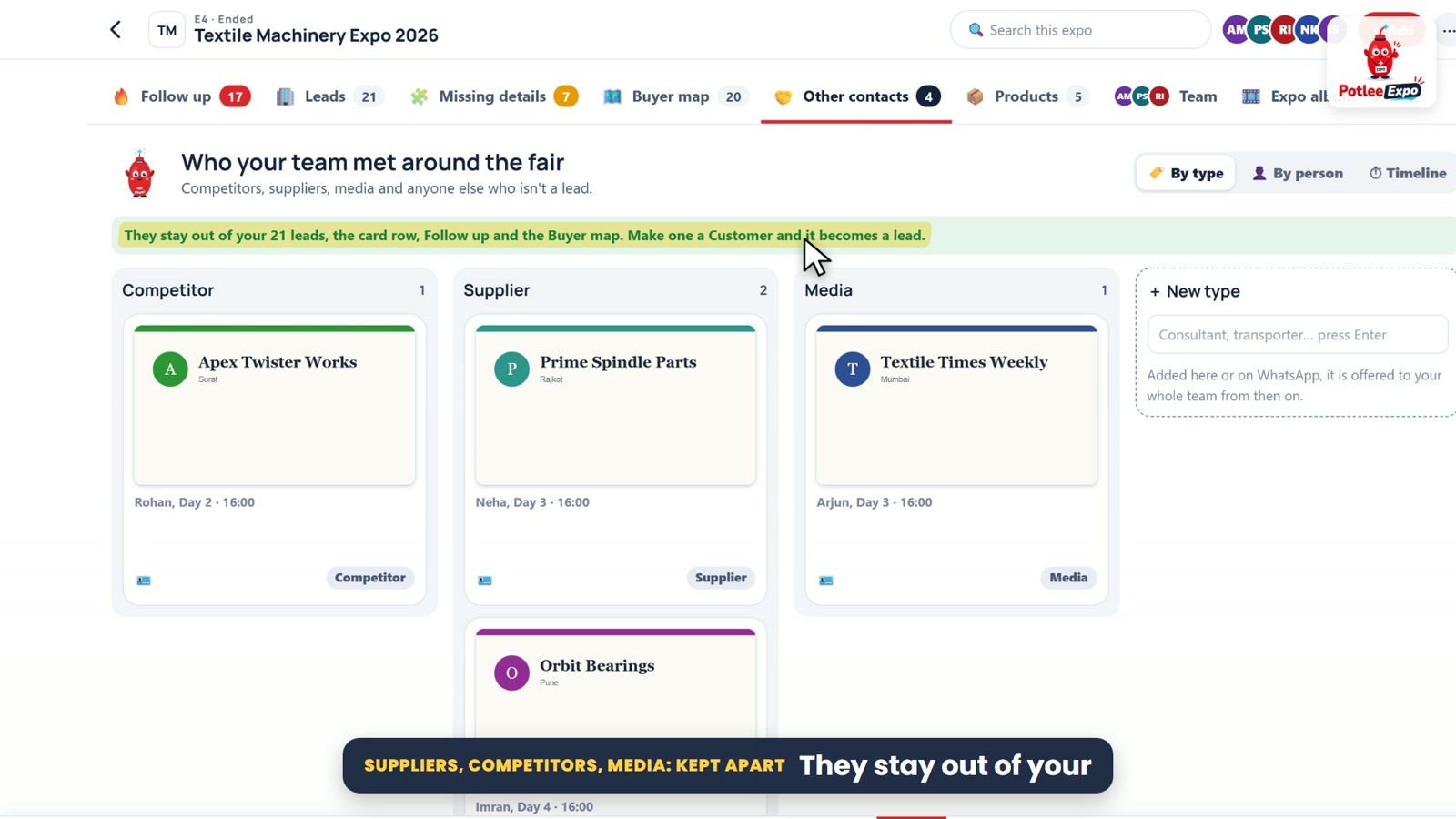
Not everyone at your stand is a buyer. Competitors, suppliers, media and others go to Other contacts, out of your sales list. If one turns out to be a buyer, make it a lead in one click.
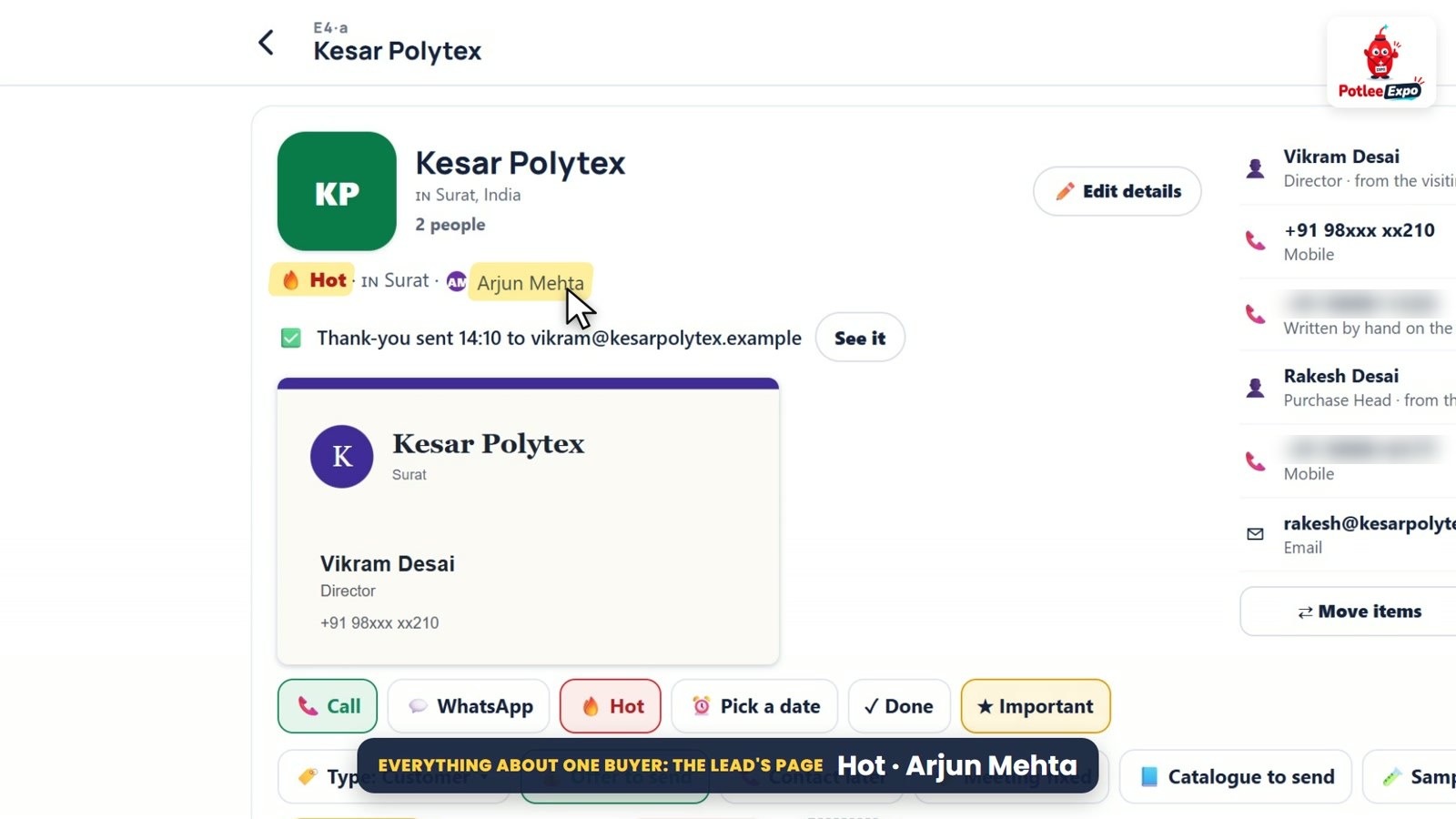
Click any company for its full page: the visiting card, how hot it is, and who follows it up; every person you met, with phones read from the card, even ones written by hand; the enquiry in the buyer's own words; and every photo, video, catalogue and voice note. From ⋯, fix a detail, move a photo, or merge two cards from one company.
▶ Watch on YouTube: chapter 9 (31 s) · chapter 10 (1:00)
Follow up, Excel and PDF, and the expo album
After the fair, Follow up is your call list: late ones first, then this week. Call, WhatsApp or email from the row. Done? Tick it. Need time? Pick a new date. Potlee can also send each buyer a thank-you email from your team, once you turn it on.
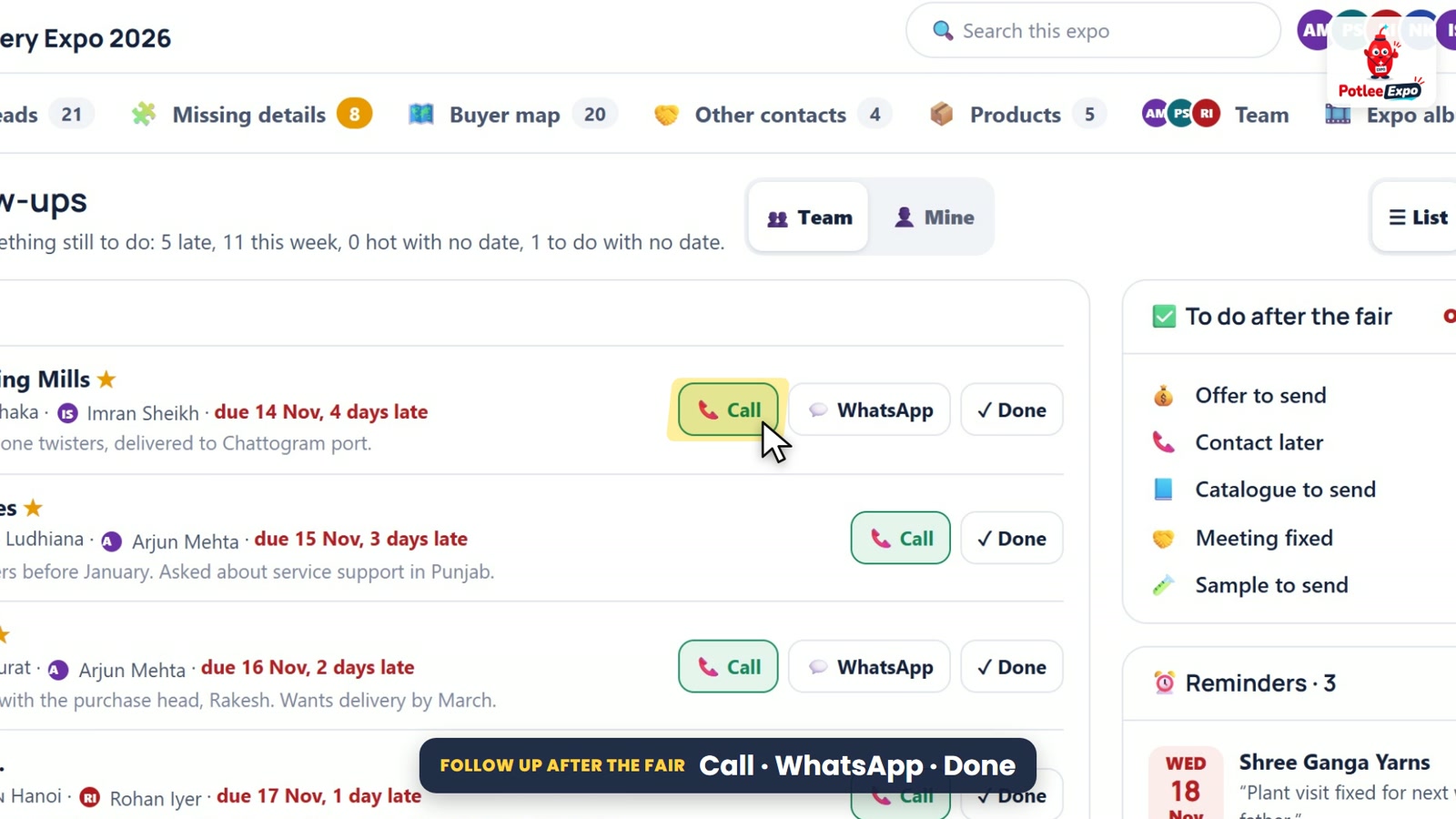
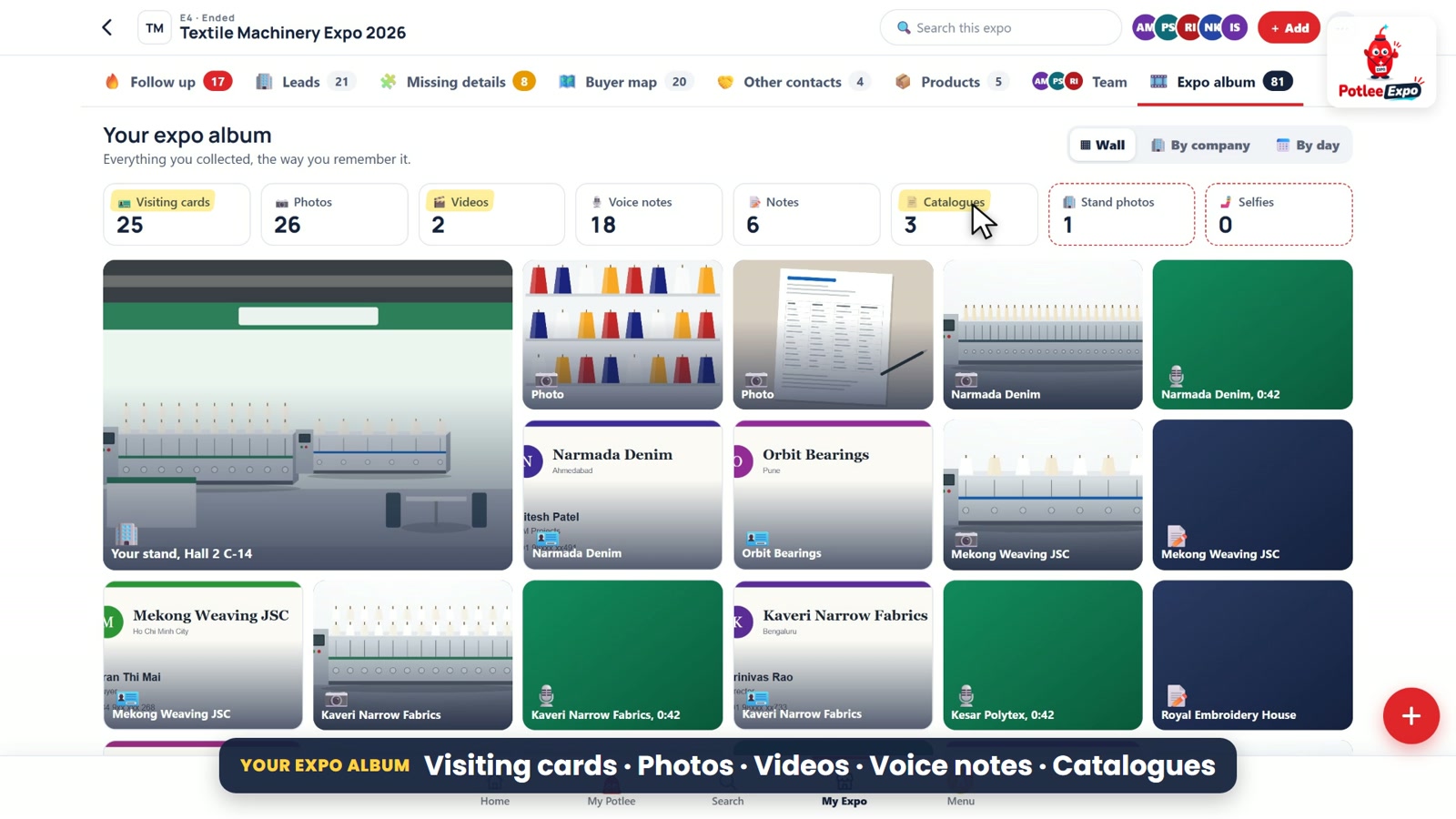
Export takes exactly what is showing, so filter first. The ⋯ menu exports every company as an Excel or a PDF report. The Expo album keeps everything your team collected, counted by kind, as a wall, by company or by day.
▶ Watch on YouTube: chapter 11 (38 s) · chapter 12 (35 s) · chapter 13 (27 s)
Make it yours, and Settings
Your logo sits on the banner, and on your team's visiting cards and emails. Any phone photo of your stand fits the banner.
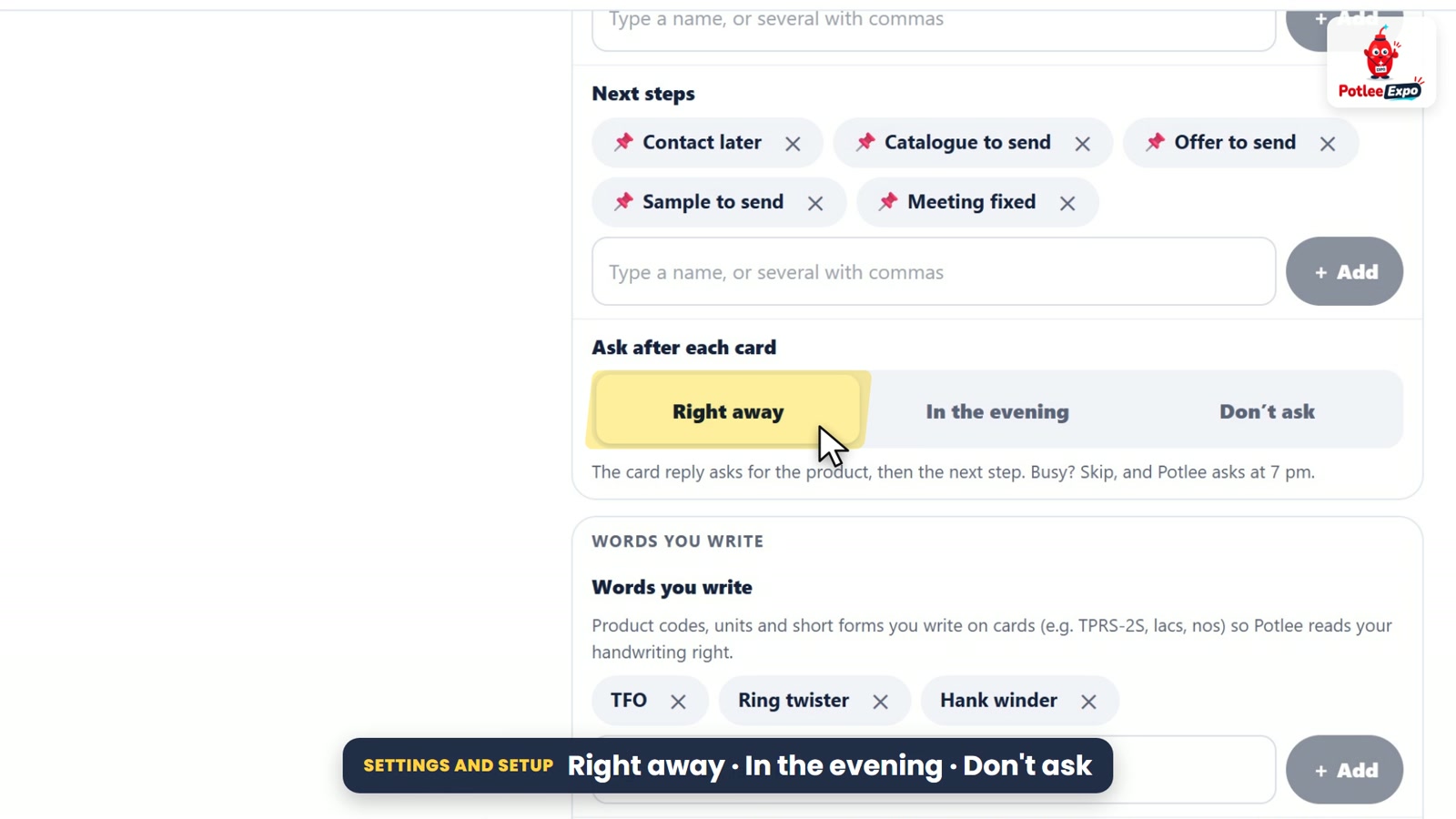
Settings holds your hall, stand number and size, and the lists Potlee asks from on WhatsApp: products, visitor types and next steps. Choose when Potlee asks after each card: right away, in the evening, or not at all. Expo mode starts on the first morning by itself, or when you say.
Not on WhatsApp? Add a card, photo or voice note from the app with + Add. Every tab has its own help, one tap away.
▶ Watch on YouTube: chapter 14 (28 s) · chapter 15 (36 s) · chapter 16 (24 s)
Your dashboard checklist
- Stand team made and the invite shared on WhatsApp
- Every team member approved, with their role and desk
- Products, visitor types and next steps checked in Settings
- Each evening: two minutes in Missing details
- After the fair: Follow up opened every day, late ones first
Get Potlee Expo
Send REGISTER EXPO to +91 91068 47981 on WhatsApp (tap here to open WhatsApp). More for exhibitors: potlee.app/expo.
All 16 chapters and more how-to videos: the Potlee Expo playlist on YouTube.
Turn Expo Visitors Into Customers.
Be a Smart Exhibitor with Potlee Expo.